World monitoring
Global intelligence map
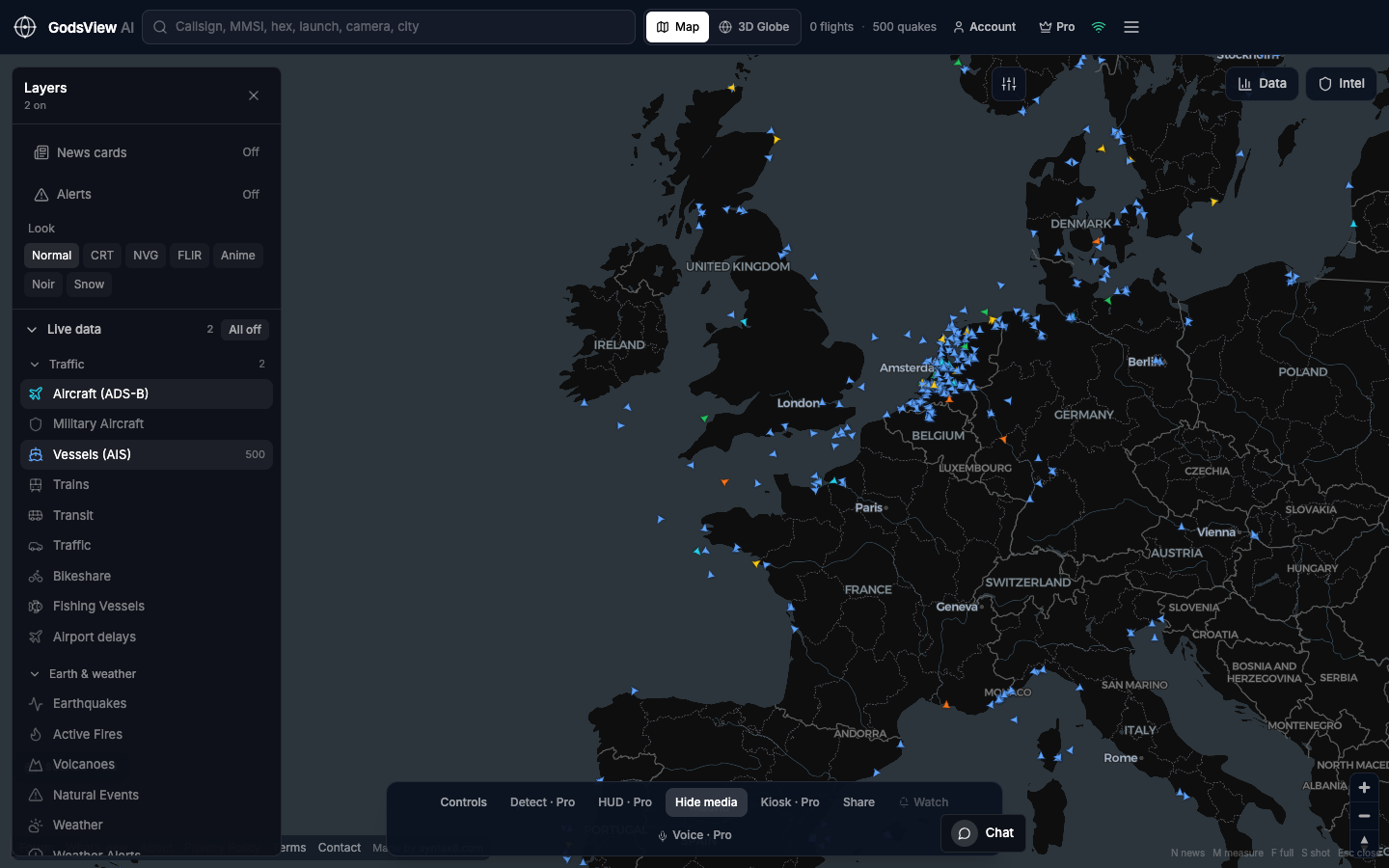
Where aircraft and ships are, where the ground shook, where satellites detected heat, and where the news is. A first look built from public feeds, not a finished intelligence product.
The OSINT map page focuses on research workflow. This page is the broader world-monitoring view: more layers on at once, with a launch button that opens a sensible starting set rather than the whole catalog. For a ranked list of incidents, the Ops Center at /ops merges and scores reports from agencies and news.
How to use this view
- Launch the starting set: flights, ships, earthquakes, fires and news.
- Switch off any layer you do not need.
- Share a saved view or event link, with the time, rather than an undated screenshot.
Data source, update rate, and limits
Public feeds, each on its own schedule: aircraft about every 10 seconds, ships about every 30 seconds, USGS earthquakes about every 2 minutes, NASA FIRMS fires about every 10 minutes. The data panel shows current counts.
This is not a targeting, law-enforcement or national operations tool. Each feed has coverage gaps, and news locations are approximate.
Questions
Is this real-time?
Each feed updates on its own schedule, from about 10 seconds for aircraft to about 10 minutes for fire detections. The data panel and each item show the time of the last report.
Who is it for?
Researchers, journalists, teachers, logistics and risk teams, and anyone who wants a public-data view of what is happening around the world.
Can I get alerts for an area?
Yes, with Pro. Watch-area alerts cover events such as military aircraft entering an area, earthquakes, fires and news mentions, delivered in-app, by browser push or by email. Viewing the map is free.
Why not turn every layer on?
With every layer on, icons overlap and patterns are hard to see. Start with the layers that answer your question and add others as needed.
Is there a 3D mode?
Yes. Switch to 3D Globe from the header after you launch.
Related trackers
Optional email list: subscribe from the page in a browser, or open an account.