No-install alternative
Run a God's Eye View style globe in your browser, no install
God's Eye View is Bilawal Sidhu's free, open-source 3D globe that you install and run on your own computer. GodsView AI is a separate hosted live map that opens in a browser tab or a phone app. Here is how they differ, and straight answers to the questions people ask most.
Short answer: if you want a live globe of flights, ships, satellites, earthquakes and fires without installing Node.js, Docker or Pinokio, open GodsView AI at godsviewai.com and sign in with a free account. If you want to run, read and change the code yourself, install the official open-source God's Eye View from its GitHub page. Both are good choices; they solve different problems.
Who makes what: God's Eye View is an open-source project created by Bilawal Sidhu and maintained at Halfpixel. Its official website is godseyeview.ai and its code is on GitHub at bilawalsidhu/gods-eye-view. God's Eye View is a trademark of Metaversity LLC, used under licence by Halfpixel. GodsView AI is a different product from a different team. We are not affiliated with God's Eye View, Bilawal Sidhu, Halfpixel or Metaversity, we don't use their code, and nothing on GodsView is the official hosted version of God's Eye View. Facts about God's Eye View on this page were checked against its README and official website on November 25, 2026.
God's Eye View vs GodsView AI at a glance
| God's Eye View (open source) | GodsView AI (hosted) | |
|---|---|---|
| Made by | Bilawal Sidhu, maintained at Halfpixel | GodsView AI, an independent team |
| Where it runs | On your own computer (localhost) | In your browser, plus iPhone and Android apps |
| Install | Pinokio, Node.js 24 or 26, or Docker | Nothing to install |
| Price | Free; some optional keys are paid or metered | Free account; Plus $10.99/month or $99.99/year |
| Account and keys | No account or keys to start; optional keys add layers | Free account with email; no keys |
| Open source | Yes, MIT licence | No |
| Keeps running with your laptop closed | No, it runs on your machine | Yes; Plus alerts run on our servers |
| Best for | Developers, tinkerers, cinematic 3D | Watching the world from any device with no setup |
Why GodsView is the better pick if you don't want to install anything
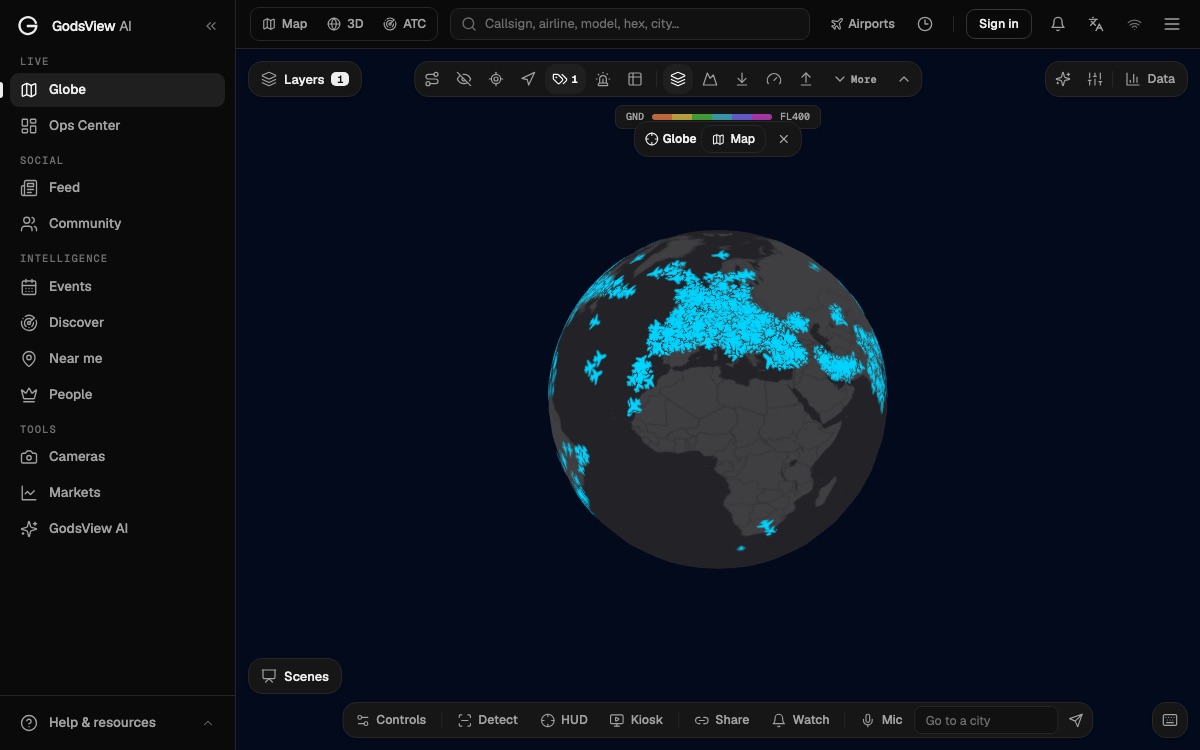
God's Eye View is impressive software, but it runs on your own machine: you install a runtime, keep Pinokio or a terminal running, and open it at localhost. That suits developers. It is a hurdle on a work laptop where you can't install software, on a Chromebook or tablet, on an office TV, or on a phone you want to check on the go. GodsView removes every one of those steps.
- Opens in seconds in Chrome, Safari, Edge or Firefox on Windows, Mac, Linux and ChromeOS
- Free GodsView AI apps for iPhone, iPad and Android, on the same account as the website
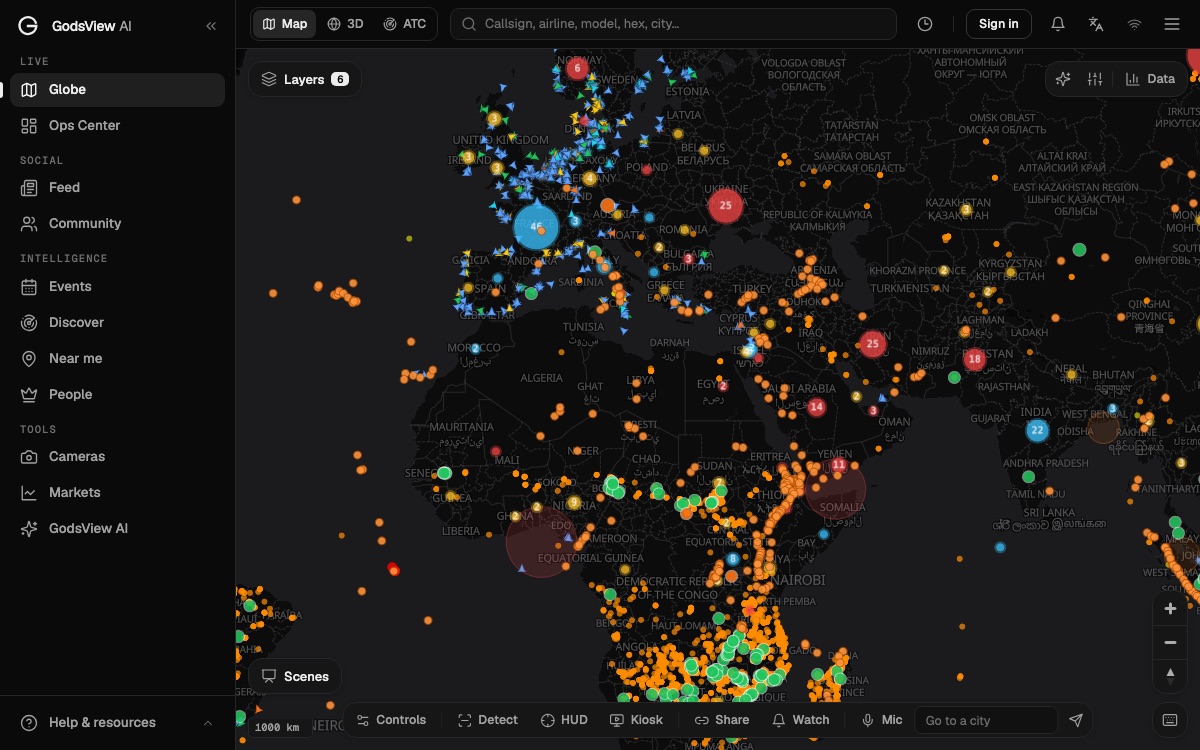
- Live layers already connected: aircraft from public ADS-B (OpenSky Network, adsb.lol, adsb.fi), ships from AIS, satellites from CelesTrak orbits, earthquakes from USGS, fires from NASA FIRMS, storms, weather warnings and world news
- No API keys to find, no Google or OpenAI billing to set up, and no key file to protect
- Alerts for flights, places and topics that keep working when your computer is off (Plus)
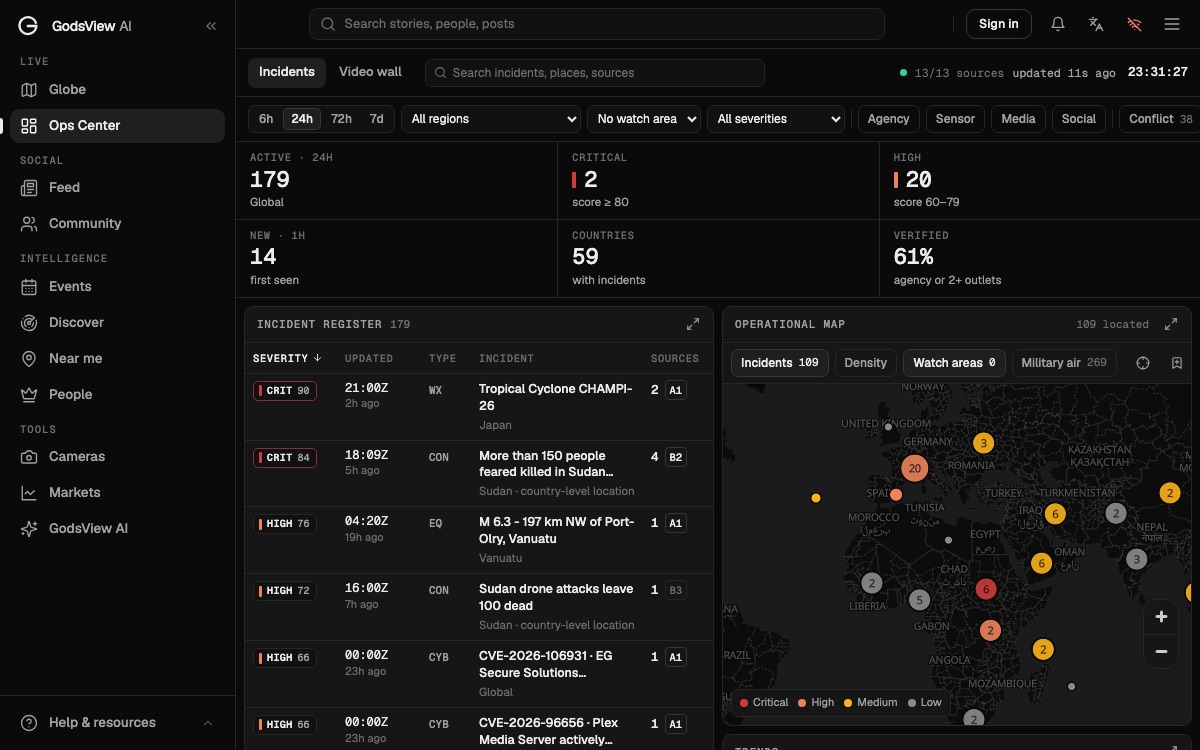
- An Ops Center that merges the same incident across sources and scores it from 0 to 100
- Share links that reopen exactly the same view for a colleague or a friend
What God's Eye View does better
A fair comparison has two sides. Choose God's Eye View if these matter most to you:
- It is open source under the MIT licence, so you can read, change and run the code yourself
- It is free to run, and the local version needs no account
- Photoreal Google 3D cities, sensor-style looks such as CRT, night vision and thermal, and a voice agent that annotates the globe
- Extras such as rail, transit, world radio and your own SDR receiver
- Your settings and keys stay on your own computer
If that is what you want, install God's Eye View from its official sources only. GodsView isn't trying to be a copy of it. It is a hosted live map for people who would rather open a link than run software.
Is God's Eye View free?
Yes. God's Eye View is free, open-source software under the MIT licence, and its README says local setup needs no account or API keys. Out of the box it shows satellite imagery, terrain, flights, military traffic, satellites, earthquakes, cameras, launches and weather.
Costs only appear if you add optional keys. A Google Maps key, used for Google's 3D tiles, place search and Street View, needs billing enabled; the README says the first 1,000 3D Tiles sessions a month are currently free. The OpenAI-powered voice and AI features are pay-per-use, and the app shows a live spend readout with a hard cap. A Liveuamap layer needs a paid subscription. Other keys, such as Cesium ion, AISStream for ships and NASA FIRMS for fires, have free tiers.
GodsView AI is free with an account and needs no keys. The free plan shows banner ads and pauses live viewing after 30 minutes; reload to continue. GodsView Plus costs $10.99 a month or $99.99 a year, removes both, and adds alerts, military aircraft, all public cameras, weather radar and photoreal 3D. There is no free trial, and you can cancel any time.
Is God's Eye View safe?
The official God's Eye View code is public on GitHub, so anyone can inspect it, and by default its server only listens on your own computer. The real risks are where you download it from and how you handle API keys:
- Download it only from the GitHub repository (bilawalsidhu/gods-eye-view) or its Pinokio page. The official site says not to run installers for God's Eye View from any other site.
- Keep the folder with your keys private. Keys are stored in a local file that is excluded from Git; on a Mac you can use the Keychain instead.
- Don't make it reachable on your network. The README warns that a LAN-visible server lets anyone who can reach it use your configured API keys.
- Restrict any Google or Cesium browser keys to your own addresses.
GodsView AI involves no download on a computer. It runs in the browser over HTTPS, shows public data such as aircraft and ship broadcasts, and payments on the website are handled by Stripe. It does not track private individuals.
How do I install God's Eye View?
There are three official ways. The project does not publish minimum hardware requirements.
- Pinokio, the easiest: install Pinokio 8.2 or later, open God's Eye View's Pinokio page, click Install, then Start. It works on Windows, macOS and Linux.
- Terminal: install Node.js 24 (24.14.0 or later) or 26, clone the GitHub repository, run npm ci and then npm run dev, and open http://localhost:4173.
- Docker: run docker compose up in the cloned folder and open http://localhost:4173. The local MCP server and ChatGPT sign-in voice do not work in Docker.
To use GodsView instead, there is nothing to install. Go to godsviewai.com, create a free account with your email, and the live map opens. On a phone, get the free GodsView AI app from the App Store or Google Play.
Is there a God's Eye View website?
Yes. The official website is godseyeview.ai. It links to the code and the Pinokio installer, and it has a waitlist for an official hosted version being built at Halfpixel, with no launch date or price published as of November 25, 2026.
The project says other websites offering a hosted or paid "God's Eye View" are not affiliated with it. That includes us: godsviewai.com is GodsView AI, a separate hosted map, not God's Eye View online. The similar names come from the common phrase "god's eye view", meaning a view of the world from above.
Can I use God's Eye View online without installing it?
Not officially yet. The official hosted version is waitlist-only as of November 25, 2026. If you want a hosted live globe today, GodsView AI opens in any modern browser with a free account. It is a different product, so it won't have God's Eye View's exact features, but it covers the main live layers with no setup.
How to open the GodsView globe in your browser
- Go to godsviewai.com in Chrome, Safari, Edge or Firefox.
- Create a free account with your email. No card is needed.
- Turn on the layers you want: aircraft, ships, satellites, earthquakes, fires or weather.
- Switch to the 3D globe, search a callsign, ship or place, or click any icon for its details.
- Press Share to send the exact view to someone else.
| Free account | GodsView Plus | |
|---|---|---|
| Price | $0, no card | $10.99 a month or $99.99 a year |
| Flights, ships, satellites | Yes | Yes, plus military aircraft |
| Earthquakes, fires, storms, news | Yes | Yes |
| Alerts for places and watch areas | No | Yes |
| Weather radar and all public cameras | No | Yes |
| Photoreal 3D and cockpit view | No | Yes |
| Ads and 30-minute live limit | Yes | No |
Which one should you choose?
- Choose God's Eye View if you are comfortable installing software, want the source code, want its cinematic 3D looks and voice agent, and will run it on a capable computer.
- Choose GodsView AI if you want a live globe that opens on any device in seconds, works on your phone, keeps alerts running while you're away, and needs no keys or setup.
Related trackers
Optional email list: subscribe from the page in a browser, or open an account.