Guide
God's Eye View App: Live World Map on Android, iPhone and Web
You don't need Node.js, Docker or API keys to watch the world from above. Here is the no-install way to get a live god's-eye view on a laptop, an iPhone or an Android phone, and what you can do with it.
Key takeaways
- The quickest way to get a live god's-eye view of the world is GodsView: open godsviewai.com/globe in any browser, or install the free GodsView AI app from the App Store or Google Play.
- There is nothing to install on a computer and no API keys to find. You sign in with a free account, with no payment.
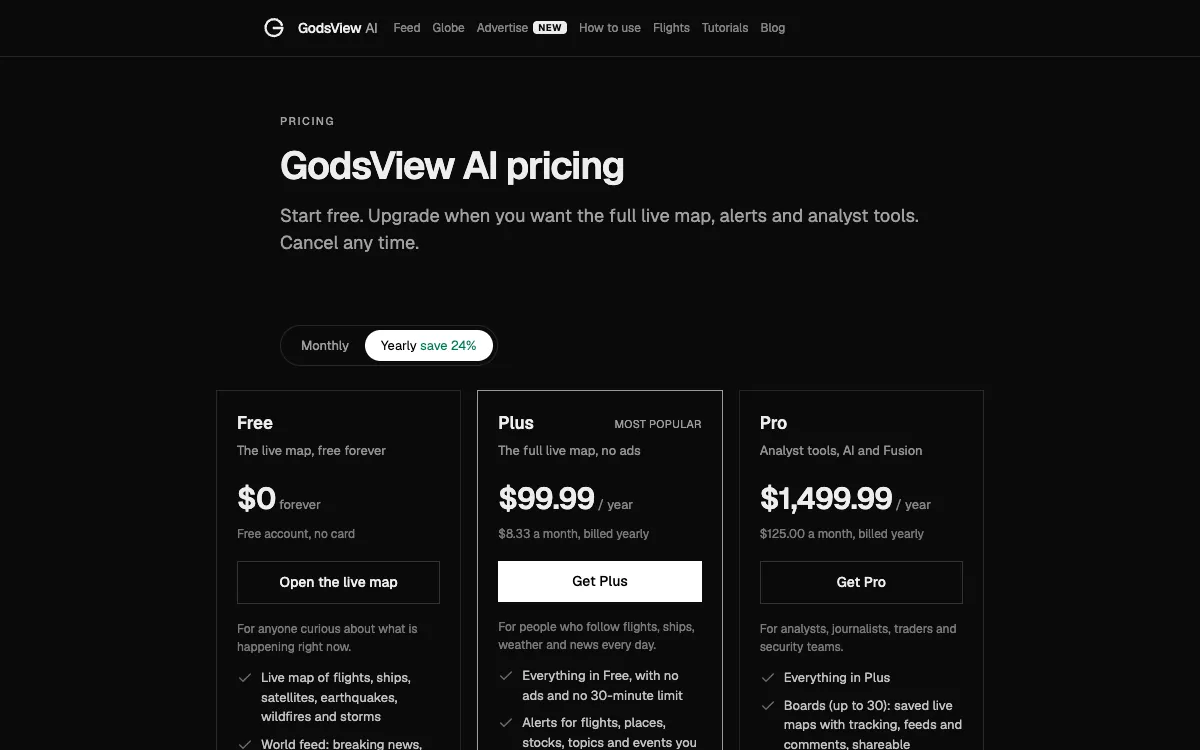
- The free plan shows live flights, ships, satellites, earthquakes, wildfires, storms and news. Plus ($10.99 a month or $99.99 a year) adds alerts, live cameras, military aircraft and photoreal 3D.
- God's Eye View is a separate open-source desktop project by Bilawal Sidhu. GodsView is not affiliated with it, and it has no app in the App Store or Google Play from its maintainers.
- One GodsView account works on the website, the iPhone app and the Android app, so a paid plan follows you to every device.
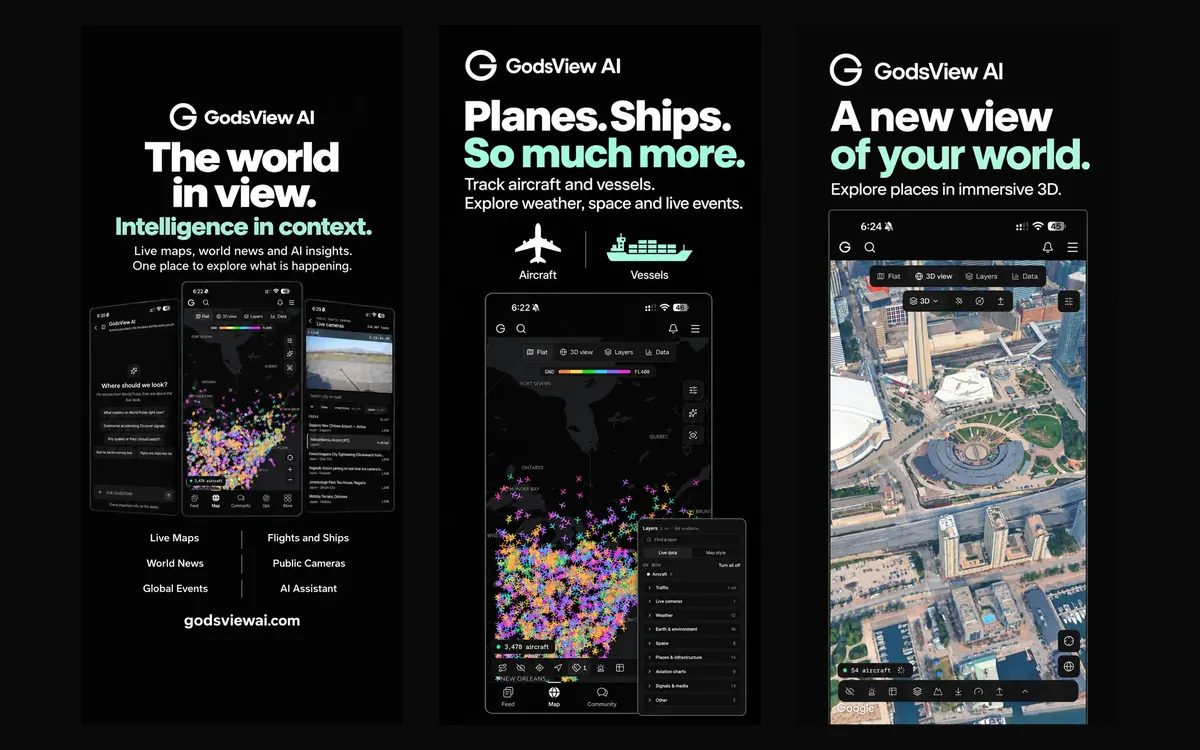
To get a live god's-eye view of the world without installing anything, open GodsView in your browser, or download the free GodsView AI app for iPhone or Android. You sign in with a free account and the map loads with live aircraft. From there you can turn on ships, satellites, earthquakes, fires and weather, and on Plus add alerts, live cameras and photoreal 3D.
This guide covers each way in: the website, the iPhone app and the Android app. It shows what you can track, how "live" the data is, what the plans cost as of November 20, 2026, and how GodsView differs from the open-source project of a similar name that you run on your own computer.
The quick answer: three ways to get a god's-eye view app
| Where | How to get it | Install? | Cost to start |
|---|---|---|---|
| Web browser (Windows, Mac, Linux, Chromebook) | Go to godsviewai.com/globe and sign in | No | Free account, no card |
| iPhone and iPad | Search "GodsView AI" on the App Store | App, about 93 MB | Free |
| Android phones, tablets and foldables | Search "GodsView AI" on Google Play | App | Free |
All three use the same account. If you upgrade on the website, the plan is active in both apps once you sign in with the same email, and the other way round. Your saved places and watches follow you too.
Is God's Eye View something you have to install?
People often search for "god's eye view install" or "god's eye view app" after seeing videos of a 3D globe full of planes, satellites and cameras. Many of those videos show an open-source project called God's Eye View, created by Bilawal Sidhu and published on GitHub under the MIT license. GodsView is a separate product. It is not affiliated with that project, does not use its code, and is not endorsed by its authors.
That project is a desktop app you run yourself. As of November 20, 2026, its README describes three ways to run it on Windows, macOS or Linux: a one-click launcher, a terminal setup that needs Node.js 24 (24.14.0 or later) or 26, or Docker. In each case a small server runs on your computer and you open the globe at a localhost address in your browser. It starts without an account or keys, but several layers need keys you register for yourself: free keys for ships and active fires, a free Cesium ion token (for eligible personal, non-commercial use) or a billing-enabled Google Maps key for photoreal 3D, and a metered OpenAI or Gemini key for its voice assistant.
A few facts that answer common searches:
- Mobile: its maintainers do not publish an app on the App Store or Google Play. The project's own FAQ says the interface has a phone layout, but the software runs on a computer, and you reach it from a phone by sharing it on your local network.
- Hosted link: the README says an official hosted version is being built. On November 20, 2026, it was a waitlist, not a public release.
- "v1": there is no version 1.0 yet. The latest tagged release on November 20, 2026 was v0.3.0, from October 28, 2026.
- Android listing: a Google Play app called "God's Eye View: 3D Earth Globe" is published by a developer listed as FEAXR AI. Its description calls it an Android implementation of the open-source project. It is not from GodsView, and it is not listed among the project's official download sources.
If you enjoy running software locally and editing code, that project is built for you. If you want a live map that opens on any device in a few seconds, read on.
How to open GodsView in your browser (no install)
This is the fastest route on a laptop or desktop, and it is the same map the apps use.
- Go to godsviewai.com/globe in Chrome, Safari, Edge or Firefox.
- Create a free account with your email, or sign in. No card is needed.
- The map opens with the Aircraft (ADS-B) layer on. Planes point the way they fly and are colored by altitude.
- Type a callsign, airline, airport code, ship name or city into the search box to fly there.
- Click any aircraft, ship, earthquake or storm to open its card with the details.
- Press Share to copy a link to the exact view, with the same zoom, layers and selection.
The getting started tutorial walks through each step with screenshots, and the how to use GodsView guide covers the main panels. If you came here looking for a browser version specifically, our God's Eye View online page explains what the web map shows.
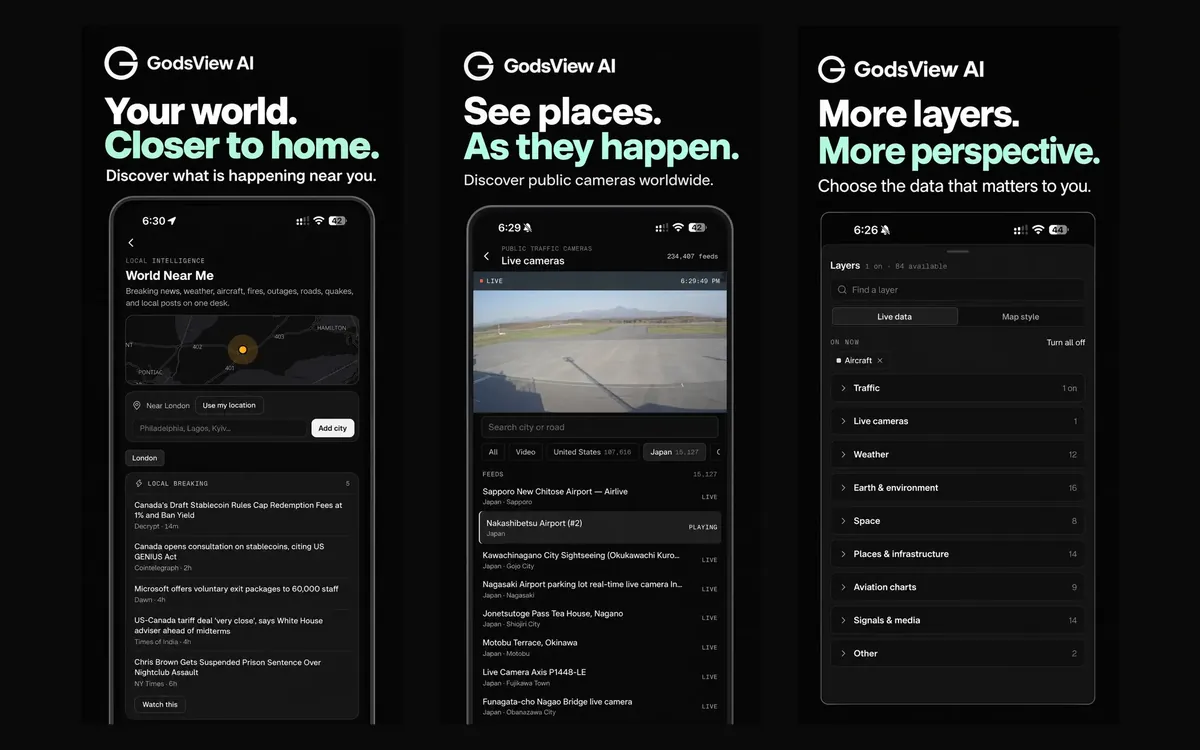
God's Eye View app for iPhone: the GodsView AI app
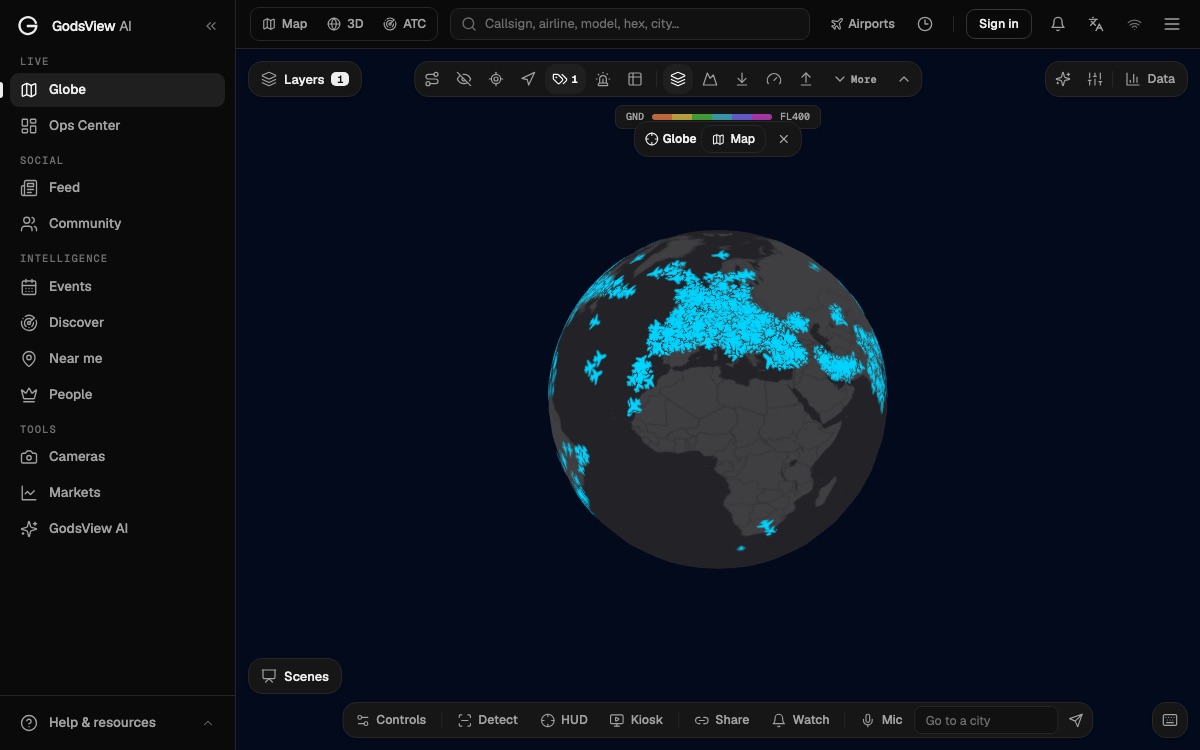
On iPhone the app is called GodsView AI: Flight Tracker on the App Store. It needs iOS 16.4 or later and also runs on iPad.
- Open the iPhone app page and tap the App Store button, or search "GodsView AI" in the App Store.
- Install it and open the map.
- Allow your location if you want to see the planes above you and what is happening nearby. You can skip this and search for any city instead.
- Sign in with your godsviewai.com account to keep your places, watches and plan in sync.
The app has the same live layers as the website, a Near You view, a world news feed and the GodsView AI assistant. If you pay on the website, you don't pay again in the app.
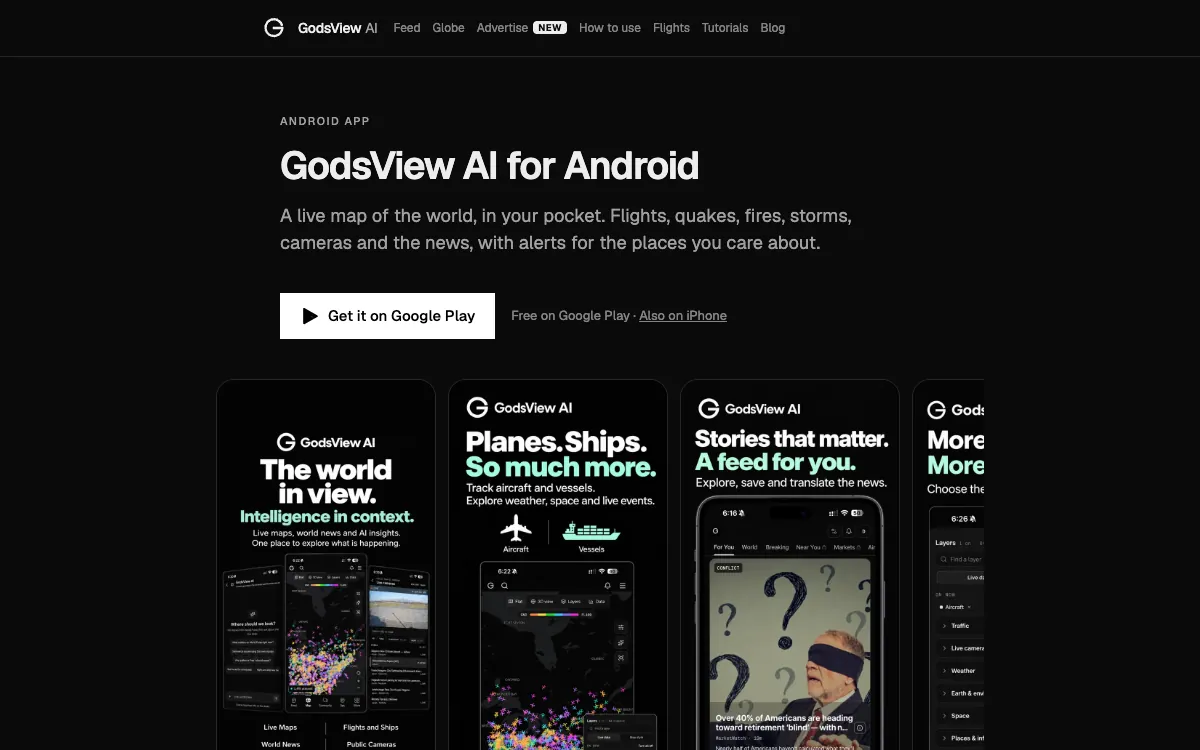
God's Eye View app for Android: GodsView AI on Google Play
On Android the app is GodsView AI: Flight Tracker on Google Play. It works on phones, tablets and foldables, and on a wide screen it uses the extra space.
- Open the Android app page and tap Get it on Google Play, or search "GodsView AI" in the Play Store.
- Install it and open the live map.
- Allow location for local flights and alerts, or search a city.
- Sign in with the same account you use on the website or on iPhone.
When you install, check that the developer shown on the listing is GodsView AI. Several unrelated apps use similar names, and only that listing is ours.
The GodsView website link (and how to spot the right one)
The site is godsviewai.com. The links you are most likely to want:
- The live map: godsviewai.com/globe
- Plans and prices: godsviewai.com/pricing
- What is flying over you right now, no sign-in needed: godsviewai.com/overhead
- The apps: iPhone and Android
GodsView never asks you to download an installer, a browser extension or a desktop program. If a site offers a "GodsView" or "god's eye view" download for Windows or Mac, it is not from us.
What you can see live on GodsView
Open Layers and switch on what you need. On the free plan:
- Flights: live ADS-B aircraft from OpenSky, with adsb.lol and adsb.fi as fallbacks. See the live flight tracker.
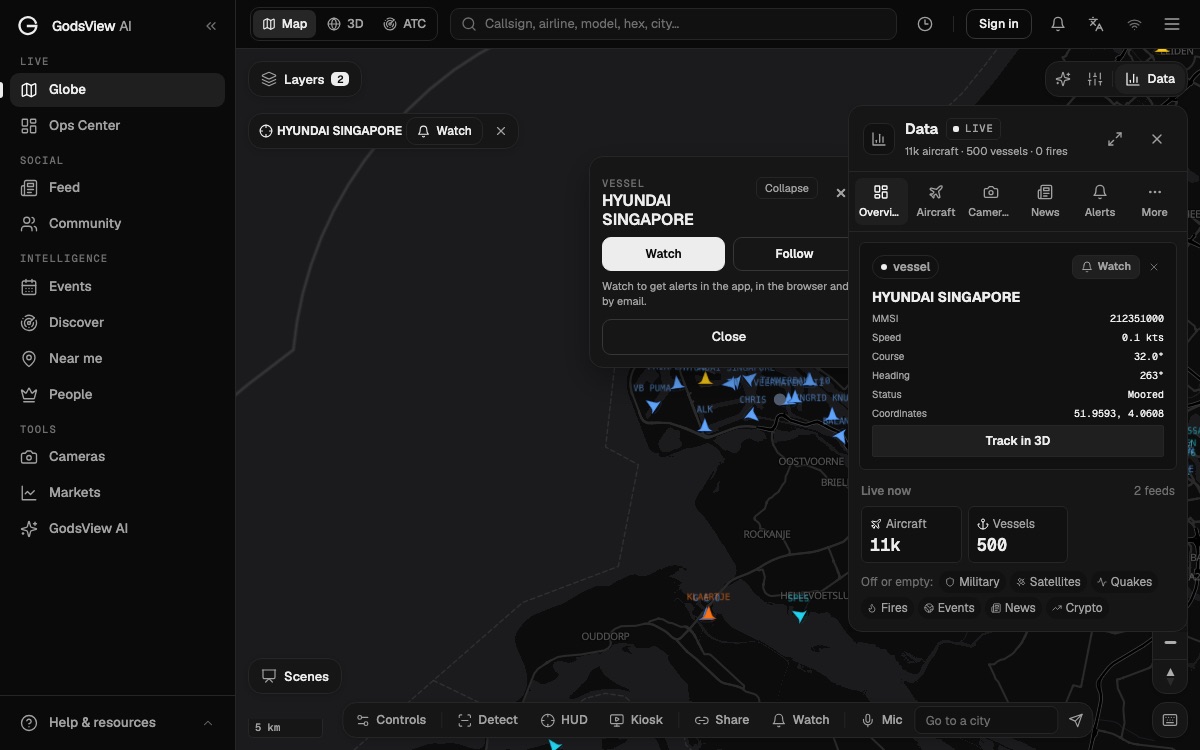
- Ships: AIS positions from aisstream.io, with name, MMSI, speed and course. See the live ship tracker.
- Satellites: positions computed from public orbital elements published by CelesTrak.
- Earthquakes, wildfires and storms: USGS earthquakes, NASA FIRMS fire detections, storm tracks and official weather alerts.
- News: a world feed of breaking stories, also placed on the map.
On Plus you add military aircraft, live public cameras from a catalogue of more than 230,000 feeds (live traffic cameras), weather radar, outage layers and advanced 3D. The full list of providers and refresh rates is on the methodology page.
How live is "live"?
"God's eye view live" is a fair thing to ask, because no public map is truly instant. GodsView shows the latest data each provider has published. Aircraft and ships are usually seconds to a minute behind. Earthquakes usually appear within minutes and are then revised. Satellite fire detections arrive after each satellite pass and processing, so they can be hours old. Coverage has gaps too: aircraft only appear where receivers pick them up, some aircraft don't broadcast, and shore-based AIS goes quiet far out at sea.
Track a flight, a ship or your own neighborhood
Follow a flight
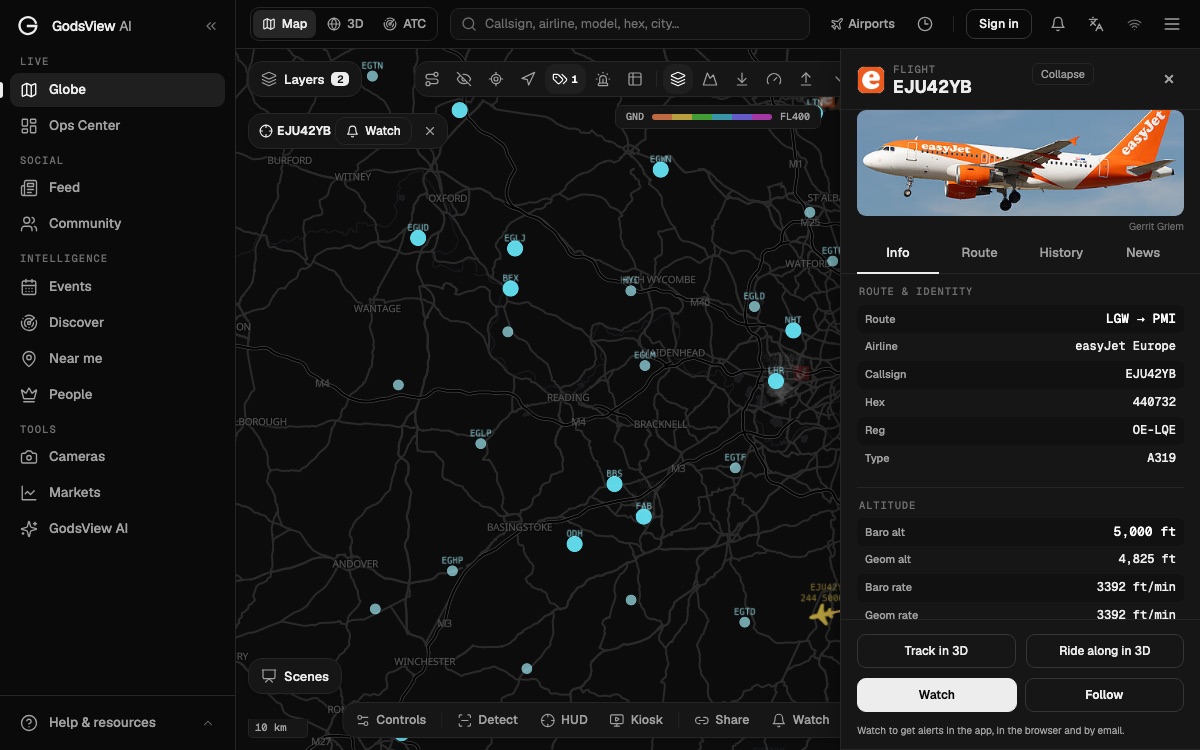
Search a flight number or callsign, click the plane, and use Follow to keep it centered. The card shows the route, aircraft type, registration, altitude and speed. On Plus, Track in 3D and Ride along in 3D add the photoreal 3D chase and cockpit views. The 3D flight tutorial shows both.
Find a ship
Turn on Vessels, then search a ship name or MMSI. The card gives speed, course, heading and navigation status. Our track a ship tutorial covers filters by ship type.
Get alerts for places you care about
On Plus you can save places such as home or family, or draw a watch area on the map, and choose what to be told about: earthquakes, fires, severe weather, military aircraft entering the area, vessel arrivals, and more. Alerts arrive in the app, by browser push or by email. Start from My places or follow the alerts tutorial.
Run it yourself or open it in a browser?
| Running an open-source globe yourself | GodsView | |
|---|---|---|
| Install | Launcher, Node.js 24 or 26, or Docker on a computer | None on the web; free app on iPhone and Android |
| Accounts and keys | No account; your own keys for some layers | Free GodsView account; no keys |
| Phone | Through your computer, on your local network | Native iPhone and Android apps |
| Updates | You pull and restart new versions | Automatic |
| Costs | Free software; some keys are metered | Free plan; Plus $10.99 a month or $99.99 a year |
| Alerts and watch areas | Not a core feature | Plus: in-app, push and email |
| Source code | Open, you can change it | Closed, hosted service |
Running software yourself gives you control over the code and where it runs. GodsView trades that for zero setup, mobile apps and alerts. For a feature-by-feature look, see GodsView vs God's Eye View, and for other options, our list of God's Eye View alternatives.
How much does GodsView cost?
Prices as of November 20, 2026, in US dollars:
| Plan | Price | What it adds |
|---|---|---|
| Free | $0 | Live map of flights, ships, satellites, earthquakes, fires and storms; world feed; flight tracker; banner ads and a 30-minute limit on continuous live viewing |
| Plus | $10.99 a month or $99.99 a year | No ads or time limit; alerts and watches; military aircraft, live cameras, radar and outages; advanced 3D and cockpit ride-along |
| Pro | From $129.99 a month or $1,499.99 a year | Boards, GodsView Fusion, the GodsView AI agent, exports and analyst layers |
There is no free trial, and you can cancel any time from your account; you keep the plan until the end of the period you paid for. A plan bought on the website works in both apps. Full details are on the pricing page.
Troubleshooting common problems
- The map asks me to sign in. The live map needs a free account. Flight pages and the overhead page work without one.
- Live viewing paused. On the free plan, continuous live viewing pauses after 30 minutes. Reload to continue, or upgrade to Plus to remove the limit.
- A flight I know about isn't there. Coverage depends on volunteer receivers, and some aircraft don't broadcast or are filtered. Try searching its callsign or check again when it is nearer to land.
- The 3D or camera buttons are locked. Photoreal 3D, the cockpit view and live cameras are part of Plus.
- The app shows the free plan after I paid on the website. Sign in to the app with the same email you used at checkout. Purchases made through Apple or Google are managed in that store's subscription settings.
- The map feels slow on an older device. Turn off layers you are not using, especially dense ones such as aircraft over Europe or the US, and close other heavy browser tabs.
What a god's-eye view can't show you
GodsView shows public broadcasts and published data about aircraft, ships, satellites, hazards and news. It does not track people, and it cannot show private cameras or live video from space. If you are curious where the "God's Eye" idea from films ends and real technology begins, read is God's Eye real. For emergencies, follow your national weather service and local authorities rather than any map.
The short version
If you searched for a god's-eye view app, the no-install answer is GodsView: open the live globe in a browser, or get GodsView AI free on the App Store or Google Play. One free account gets you live flights, ships, satellites and hazards; Plus adds alerts, cameras and photoreal 3D. The open-source God's Eye View project is a separate desktop app you run yourself, with no store app from its maintainers.
Get the free app or open the map
Frequently asked questions
Is there a God's Eye View app for Android?
Its open-source maintainers do not publish one on Google Play; that project runs on a computer. A third-party listing called "God's Eye View: 3D Earth Globe" exists from a developer named FEAXR AI. If you want a live world map app on Android, GodsView AI is free on Google Play from the developer GodsView AI, with flights, ships, earthquakes, fires and news; see the Android app page.
Is there a God's Eye View app for iPhone?
Not from the open-source project's maintainers. The GodsView AI app for iPhone is free on the App Store and needs iOS 16.4 or later. It shows the same live map as godsviewai.com, with alerts on Plus. See the iPhone app page.
How do I install God's Eye View?
The open-source God's Eye View project is installed on a Windows, macOS or Linux computer through a launcher, Node.js 24 or 26, or Docker, following its README on GitHub. GodsView is unrelated and needs no install: open godsviewai.com/globe in a browser and sign in with a free account.
Can I use a god's-eye view map online without downloading anything?
Yes. GodsView runs in any modern browser on Windows, Mac, Linux or a Chromebook. You need a free account, with no payment, and no API keys. Our God's Eye View online page explains what the web map includes.
Is GodsView the same as God's Eye View?
No. God's Eye View is an MIT-licensed open-source project by Bilawal Sidhu that you run on your own computer. GodsView AI is a separate hosted service with its own website and apps. The two are not affiliated and share no code. Our comparison covers the differences.
Is the GodsView app free?
Yes. The website and both apps are free to use with a free account, with banner ads and a 30-minute limit on continuous live viewing. GodsView Plus costs $10.99 a month or $99.99 a year and removes ads and the limit, and adds alerts, live cameras, military aircraft and photoreal 3D. Prices as of November 20, 2026.
How live is the data on a god's-eye view map?
On GodsView, aircraft and ships are usually seconds to a minute behind, earthquakes appear within minutes, and satellite fire detections can be hours old. Coverage depends on public receivers and providers. The methodology page lists each source and its refresh rate.
Sources
- GodsView AI: Flight Tracker — App Store listing
- GodsView AI: Flight Tracker — Google Play listing
- OpenSky Network — REST API documentation
- aisstream.io — live AIS data
- NASA FIRMS — Fire Information for Resource Management System
- CelesTrak — satellite orbital elements
Facts checked on against each provider's own site.