Purchase-oriented
Hosted vs self-hosted God’s Eye View
GodsView AI is a hosted live map. The MIT Cesium project on GitHub is software you install and operate. They are not the same product, and this page is the honest split.
What you buy with hosted
A URL that works on a newsroom PC, a 2D operations map as well as a 3D globe, accounts, optional Premium, a forum, and pages like this so colleagues can find the tool. You do not become on-call for tokens.
What you take on with self-hosted
Node or Pinokio, possible Cesium ion or Google billing, AIS and FIRMS keys if you want those layers, and a machine that must stay awake. Fine for a weekend build. Weak as a shared desk.
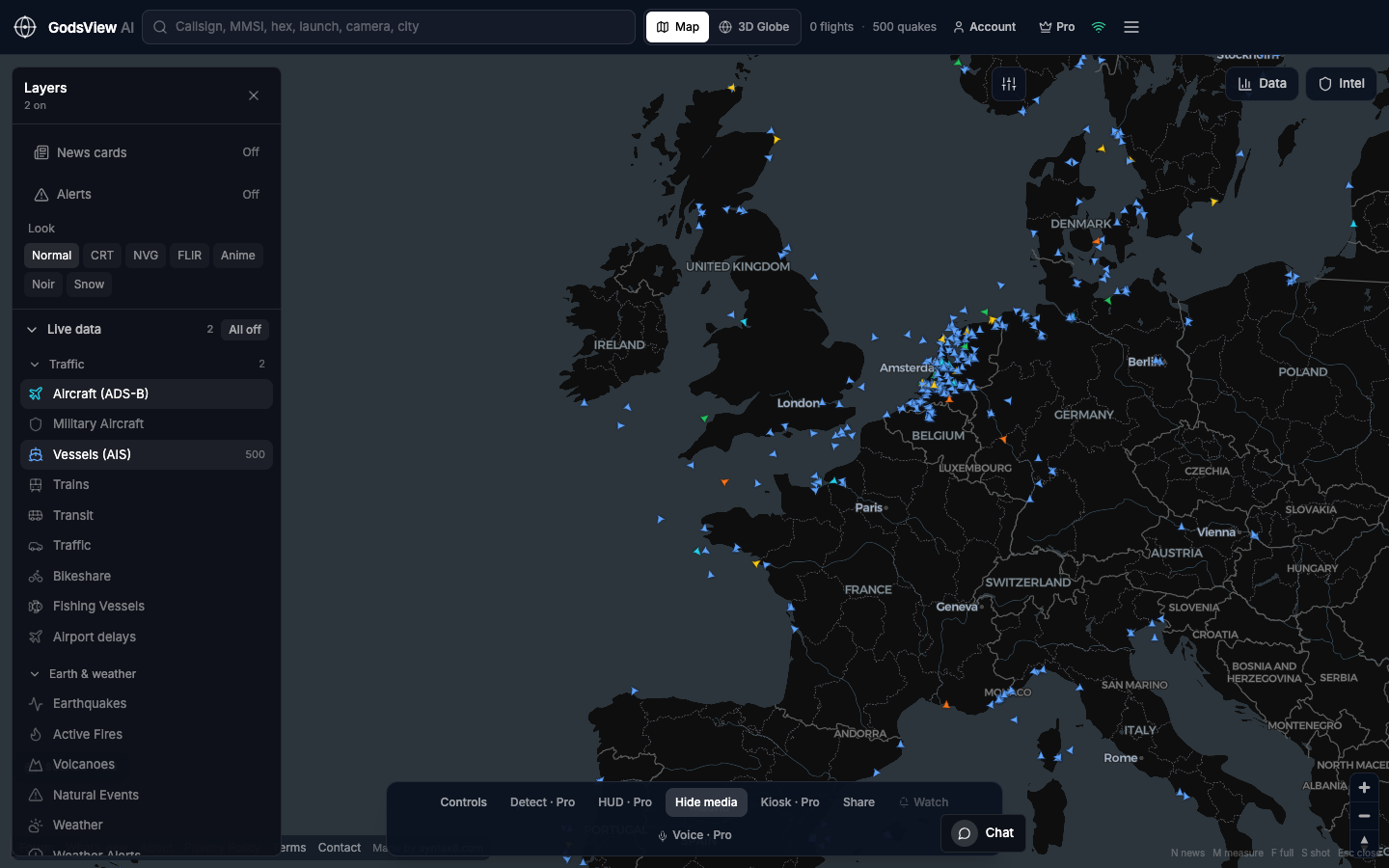
How to use this view
- Open GodsView AI if you wanted a working map today.
- Clone the GitHub repo only if you intended to run and modify it.
- Do not expect our support channel to debug a localhost stack.
Data source, update rate, and limits
Both sides can show public Earth data. The difference is who operates the stack and whether a 2D desk exists.
We will not pretend a hobby globe is a targeting system, and we will not pretend hosted ADS-B is a full historical archive.
Questions
Is GodsView a paid version of the GitHub repo?
No. Different codebase, different team. Hosted is our product.
Can I self-host GodsView AI?
No. We do not license or support a self-hosted GodsView.
Why would anyone pay?
Watchlists, kiosk, heavier layers, and not running the feeds yourself. The core map stays free to explore.
Does the GitHub globe include a 2D map?
It is built as a photoreal Cesium experience. GodsView AI is a 2D desk plus an optional 3D globe.
Where do I read the long table?
The blog post GodsView AI vs bilawalsidhu/gods-eye-view is the detailed comparison.
Related trackers
Optional email list: subscribe from the page in a browser, or open an account.