How-to
How to Track a Ship by Name, MMSI or IMO Number
To track a ship, find its MMSI or IMO number, then look it up on a live AIS map. This guide shows how each identifier works, how to read what you find and where the data runs out.
Key takeaways
- The fastest reliable way to track a ship is by its 9-digit MMSI; the 7-digit IMO number is the best key for history because it never changes.
- Ship names are not unique, so confirm a name match with the flag, type, size or IMO number before trusting it.
- Free registries such as ITU MARS let you turn a name or call sign into an MMSI and IMO number.
- Terrestrial AIS covers coasts and ports well; ships in mid-ocean may show stale positions unless a service adds satellite AIS.
- Destination and ETA are typed in by the crew, so treat them as hints and confirm arrivals with port or agent information.
To track a ship, get one of its identifiers (ideally the MMSI or IMO number), search for it on a live AIS map, then check its last-seen time, speed and reported destination. If you only have a name, use a free registry to turn that name into an MMSI or IMO number first, because many vessels share the same name.
Ship trackers work by decoding the AIS broadcasts that vessels send several times a minute. If you want the background on how those broadcasts work, read what is AIS ship tracking? first. This guide is the practical side: which identifier to use, how to search, how to read a vessel panel, how to watch a port or strait, and when the map stops being reliable.
You will also find step-by-step instructions for doing this on GodsView AI, which shows live ships free in the browser with no account needed to view the map.
Which ship identifier should you use?
Every commercial vessel has several identifiers. They exist for different purposes, and some change over a ship's life while others do not.
| Identifier | Format | Example shape | Changes? | Best for |
|---|---|---|---|---|
| Ship name | Up to 20 characters in AIS | Upper-case text, e.g. "NORDIC STAR" | Yes, on sale or rename | Quick search when you know nothing else |
| MMSI | 9 digits; first 3 indicate the flag | 366xxxxxx (US) | Yes, often when the flag changes | Finding a ship on a live AIS map |
| IMO number | "IMO" + 7 digits | IMO 9xxxxxx | No, stays with the hull | History, ownership research, confirming identity |
| Call sign | Short letters-and-digits radio call sign | Varies by flag | Yes, with flag | Radio logs, registry lookups |
Sources: USCG NAVCEN on MMSI, USCG NAVCEN FAQ, IMO numbering scheme, USCG Class A message fields.
MMSI: the key for live tracking
The Maritime Mobile Service Identity is a 9-digit number programmed into the ship's radio and AIS equipment (USCG NAVCEN). Every AIS position report carries it, so it is the one identifier every live map indexes. A valid ship MMSI starts with a digit from 2 to 7, and US-assigned MMSIs start with 338, 366, 367, 368 or 369 (USCG NAVCEN FAQ).
IMO number: the key for history
The IMO number is "IMO" followed by seven digits. It is assigned to propelled, seagoing merchant ships of 100 GT and above, appears on the ship's certificates and is never reassigned to another ship (IMO). Yachts, naval vessels and some special-purpose craft are excluded. Class A transponders broadcast the IMO number in their static data message, so many trackers can show it, but only after that message has been received.
Name and call sign: useful, but check them
Names are the weakest identifier. Several tugs, fishing boats or yachts can share a name, and ships are renamed when they change hands. Use a name search to get candidates, then confirm with flag, ship type, length or the IMO number.
How to find a ship's MMSI or IMO number
If all you have is a name or a call sign, these free sources turn it into numbers you can track:
- ITU MARS: the ITU's Maritime mobile Access and Retrieval System is free, updated daily and searchable by ship name, call sign, MMSI, IMO number or national registration number (ITU). It covers ship stations notified to the ITU.
- IMO GISIS: the public area of the IMO's Global Integrated Shipping Information System includes a Ship and Company Particulars module that searches the world fleet by IMO number (IMO GISIS).
- Booking or shipping documents: bills of lading, booking confirmations and carrier schedules usually list the vessel name and voyage number, and often the IMO number.
- The live map itself: click a vessel and note its MMSI, then search for that MMSI in a registry to confirm it is the ship you expect.
How to track a ship on GodsView, step by step
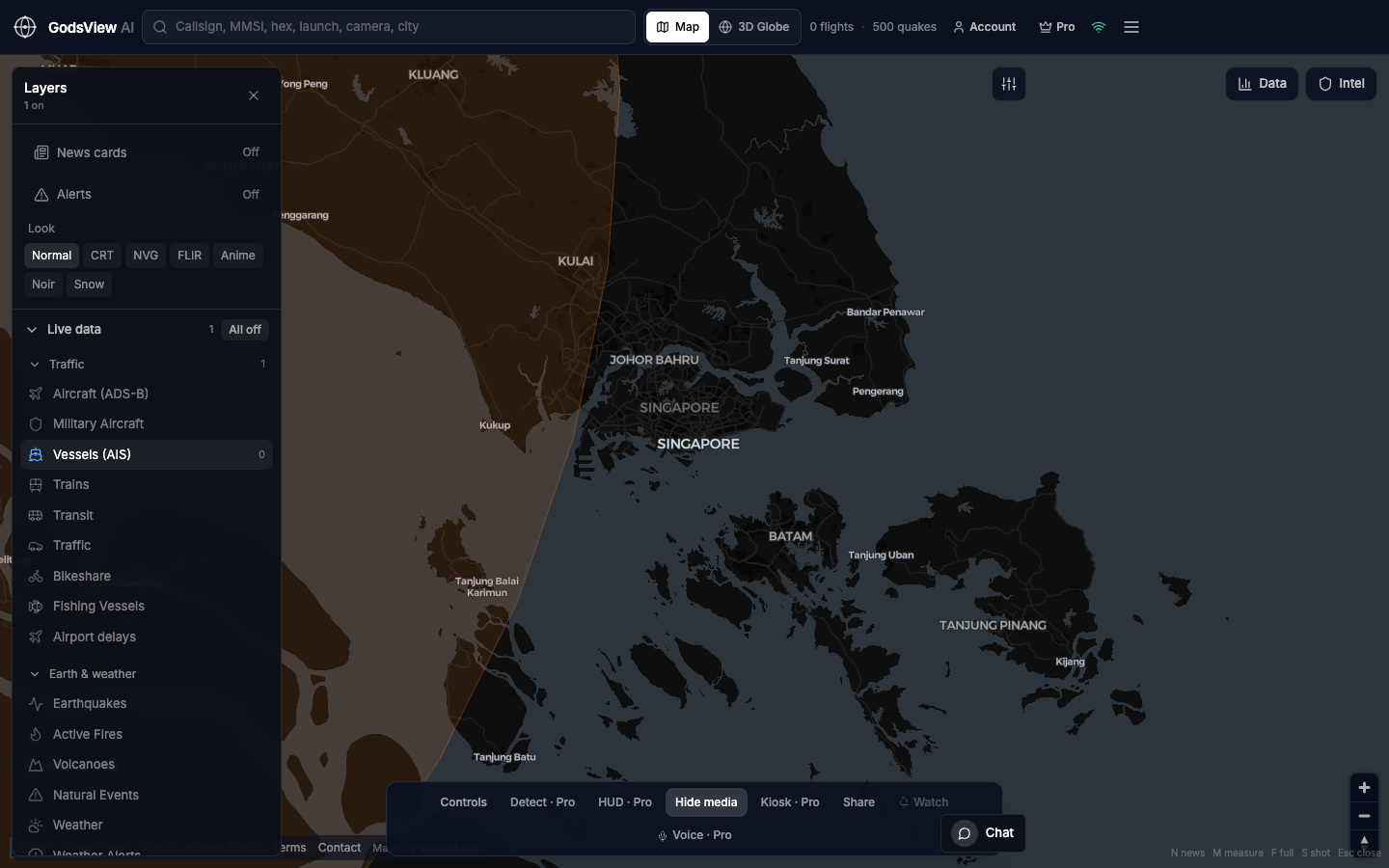
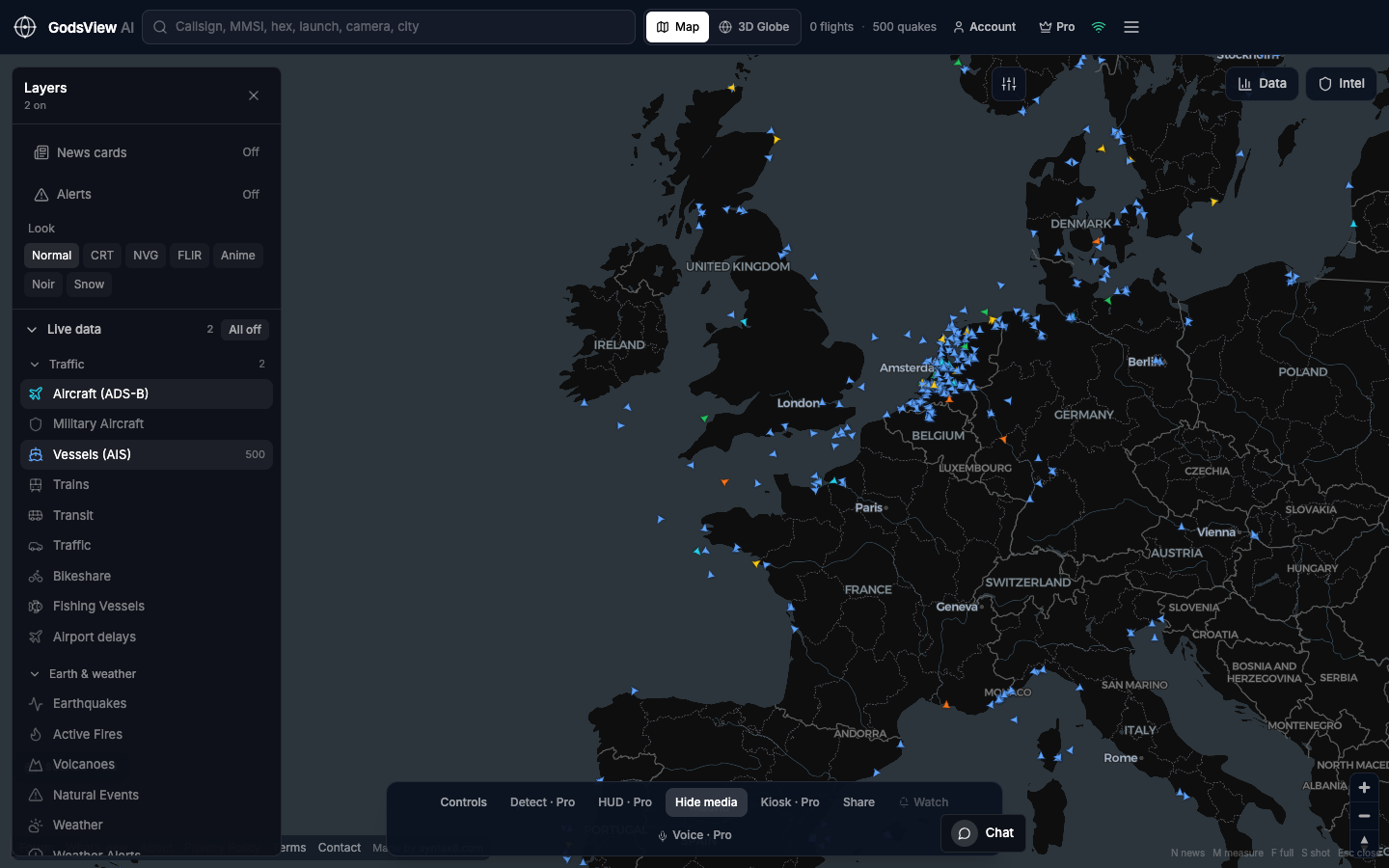
GodsView shows ships from the aisstream.io terrestrial AIS stream, refreshed about every 30 seconds. Viewing the map is free and needs no sign-in or API key.
- Open the live ship tracker. Ships are part of the free tier.
- Pan and zoom to the area where you expect the vessel: a port, a coast or a strait.
- Click a vessel symbol to open its panel. You will see the MMSI, reported destination, speed over ground, course and navigational status (for example "under way using engine" or "at anchor").
- Use the vessel list to filter what is loaded by name, MMSI or destination.
- Check the last-seen time. A ship that has not reported for hours may have left terrestrial coverage.
- Copy a share link to send someone the same view; it reopens the map where you left it.
Going further with Pro
GodsView Pro ($10.99/month, $99.99/year or $199.99 lifetime, prices as of October 2026) adds tools for watching ships over time rather than looking them up once:
- Vessel arrival and departure alerts, delivered in-app, by browser push or by email.
- Watchlists and watch-area (geofence) alerts that fire when something enters an area you draw.
- Follow a ship on the 3D globe with the photoreal view.
- Extra layers such as ports, fishing vessels from Global Fishing Watch and submarine cables.
There is no free trial, and the free tier pauses live viewing after 30 minutes (reload to continue).
Set up ship alerts with GodsView Pro
How to read a vessel's AIS panel
Most trackers show the same handful of fields because they all decode the same AIS messages. Here is what each one means and how far to trust it.
| Field | Where it comes from | How much to trust it |
|---|---|---|
| Position | GPS, broadcast every 2 to 10 s underway (Class A) | High near coasts; check last-seen time |
| Speed over ground (SOG) | GPS, in tenths of a knot | High; a value near 0 usually means anchored or moored |
| Course over ground (COG) | GPS | High when moving; noisy when stopped |
| Heading | Ship's gyro compass, if connected | May be missing (shown as not available) |
| Navigational status | Set by the crew | Medium; crews forget to change it |
| Destination | Typed by the crew, up to 20 characters | Low to medium; abbreviations and stale entries are common |
| ETA | Typed by the crew | Low; a planning value, not a prediction |
| Draught | Typed by the crew, in tenths of a meter | Medium; useful for loaded vs ballast |
Field definitions: USCG NAVCEN Class A reports.
Reading the destination field
Destination is free text, so you will see full port names, abbreviations and five-character codes. Many crews use UN/LOCODE, a United Nations scheme in which the first two letters are the country's ISO code and the last three identify the place, so "NL RTM" means Rotterdam (UN Statistics Division). Others type a short or misspelled port name, or leave a previous voyage's destination in place, so compare the entry with the ship's actual heading before relying on it.
How to track ships in a port or strait
Sometimes you care about a place, not a single ship: a congested anchorage, a canal approach or a narrow strait.
- Zoom to the port or strait on the live ship tracker.
- Look at the cluster of ships with near-zero speed outside the harbor; that is usually the anchorage queue.
- Compare the number of ships underway in each direction through a strait over a few hours.
- With Pro, draw a watch area around the approach so you get an alert when vessels enter.
GodsView also has ready-made views for busy waters such as the Red Sea and the South China Sea. Our guide to shipping chokepoints on a live map explains what to watch in each one.
Why can't I find my ship?
If a search comes up empty, work through these causes in order:
- Out of range. Terrestrial AIS reaches roughly 20 to 40 nautical miles from shore receivers (Canadian Coast Guard). A ship mid-ocean may not appear on a terrestrial-only map, GodsView included.
- Wrong identifier. You may have a former name or an MMSI from before a re-flag. Search the IMO number in a registry to get the current MMSI.
- Static data not received yet. Names arrive in a separate message every six minutes, so a newly heard ship can show only its MMSI for a few minutes.
- Transponder off. SOLAS allows AIS to be switched off where security requires it, for example in piracy areas (IMO). Some vessels also go dark for illicit reasons.
- No AIS at all. Warships are exempt from SOLAS chapter V, and many small boats are not required to carry AIS.
Limits: what a ship tracker cannot tell you
A live ship map is excellent for answering "where is this vessel and is it moving?" It is weak at almost everything else.
- Cargo. AIS carries ship type and draught, not what is in the holds or containers. For container status, use the carrier's own tracking.
- Exact arrival time. ETA is a crew-entered planning value. Berthing depends on pilots, tides, berth availability and port congestion.
- Ownership. AIS does not carry owner or operator data. Registries and commercial databases cover that.
- Truthfulness. Positions can be spoofed and identities borrowed. A 2020 US sanctions advisory lists AIS manipulation among deceptive shipping practices (OFAC). If a track looks impossible, it may be.
- Safety decisions. Public trackers are not a navigation or emergency service. For maritime emergencies and safety information, rely on coast guards and official notices.
If you plan to publish what you find, or track a specific private yacht or person, read is flight and ship tracking legal? first. It is informational, not legal advice.
Free vs paid ship tracking: which do you need?
For checking where a known ship is near a coast or in port, a free terrestrial map is usually enough. You need a paid service when you want ocean-wide satellite positions, long track history, port call records or fleet tools for hundreds of vessels. Our MarineTraffic alternatives comparison lays out what each major tracker includes and what it costs as of October 2026.
| Need | Free terrestrial map | Paid plan with satellite AIS |
|---|---|---|
| Ship near a coast, port or strait | Yes | Yes |
| Ship in mid-ocean | Often not | Usually |
| Alerts on arrival or area entry | Some services, often paid | Yes |
| Long track history | Limited | Yes, by plan |
How tracking a ship compares with tracking a flight
The workflow mirrors flight tracking. A ship's MMSI plays the role of an aircraft's Mode S hex code, the IMO number is like a tail number that never changes, and coverage gaps over open water affect both. If you also follow aircraft, see how to track a flight. Researchers combining both kinds of data will find the verification habits in what is OSINT? useful.
Where to start
Get the MMSI or IMO number, confirm it in a registry, then find the ship on a live map and check its last-seen time before reading anything else. Treat destination and ETA as hints, and remember that terrestrial maps lose ships offshore. The methodology page lists exactly where GodsView's ship data comes from and how often it refreshes.
Frequently asked questions
How can I track a ship for free?
Open a free AIS map such as the GodsView ship tracker, zoom to the ship's area and click it, or search a vessel list by name or MMSI. Free maps rely mostly on terrestrial AIS, so they work best near coasts, ports and straits. Ships far out at sea may only appear on paid services that include satellite AIS.
Can I track a ship by its IMO number?
Yes. Many trackers let you search by IMO number directly, and registries such as ITU MARS link an IMO number to the ship's current MMSI and call sign. The IMO number is the most reliable identifier because it stays with the hull for life, even when the ship is renamed or re-flagged and its MMSI changes.
Why does my ship's position not update?
The ship has probably left the range of shore receivers, which is roughly 20 to 40 nautical miles. Terrestrial maps then keep showing its last known position until it comes back into range. Check the last-seen time. Other causes include a switched-off or faulty transponder, or a changed MMSI after a re-flag.
How accurate is the ETA on a ship tracker?
Treat it as a rough guide. The ETA in AIS is typed in by the crew and may not be updated during the voyage. Actual berthing depends on pilots, tides, berth availability and congestion. For delivery planning, confirm with the carrier, freight forwarder or port agent rather than relying on the AIS ETA alone.
Can I track a cruise ship or a ferry live?
Usually, yes. All passenger ships must carry AIS under SOLAS regardless of size, so cruise ships and ferries broadcast their position like cargo ships. Near coasts and ports they appear on free terrestrial maps. During long ocean crossings, their positions may only be available on services that include satellite AIS.
Sources
- USCG NAVCEN — Maritime Mobile Service Identity
- USCG NAVCEN — AIS frequently asked questions
- USCG NAVCEN — Class A AIS position and static reports
- IMO — Ship identification number scheme
- IMO — AIS transponders
- ITU — MARS maritime database
- IMO — GISIS public area
- UN Statistics Division — UN/LOCODE
- Canadian Coast Guard — How AIS works on board ships
- US Treasury OFAC — Sanctions advisory for the maritime industry (2020)
Facts checked on against each provider's own site.