Guide
Live Webcams Near Me: Find Public Cams in Your Town
There are hundreds of thousands of public cameras online, but they are scattered across road agencies, tourist boards and webcam networks. Here is how to find the ones near you, tell a live stream from a still photo, and know what you are allowed to watch.
Key takeaways
- The fastest way to find live webcams near you is to search by city: GodsView lists public cameras within 30 km of thousands of cities, for example London or Seattle.
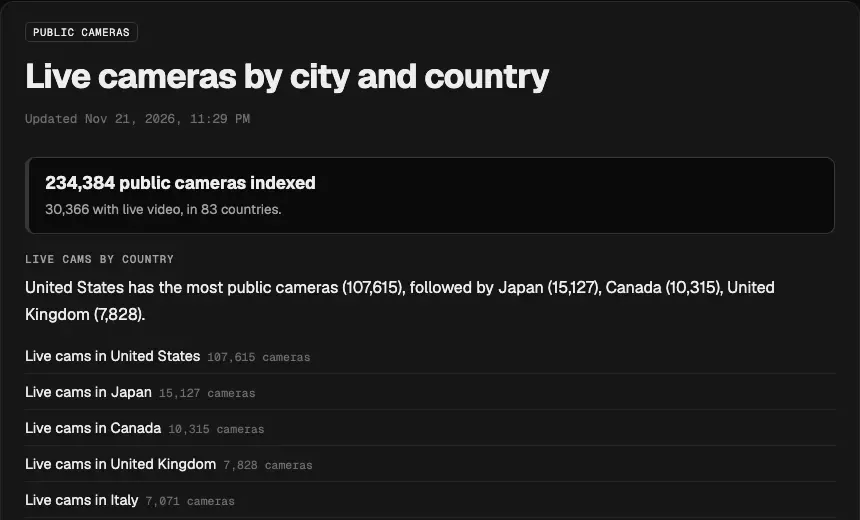
- On November 21, 2026, GodsView indexed 234,384 public cameras in 83 countries, of which 30,366 streamed live video. The rest are still images that the operator refreshes.
- Most "live" street and traffic cameras are not video. Road agencies usually publish a fresh still every 1 to 20 minutes; Caltrans aims for 20 minutes or less.
- Public webcams are published on purpose by road agencies, councils, resorts and webcam networks. Private CCTV, doorbell and home cameras are not public and should not be.
- Every city page on GodsView is free to read. Opening cameras on the live map and the video wall needs GodsView Plus ($10.99 a month or $99.99 a year).
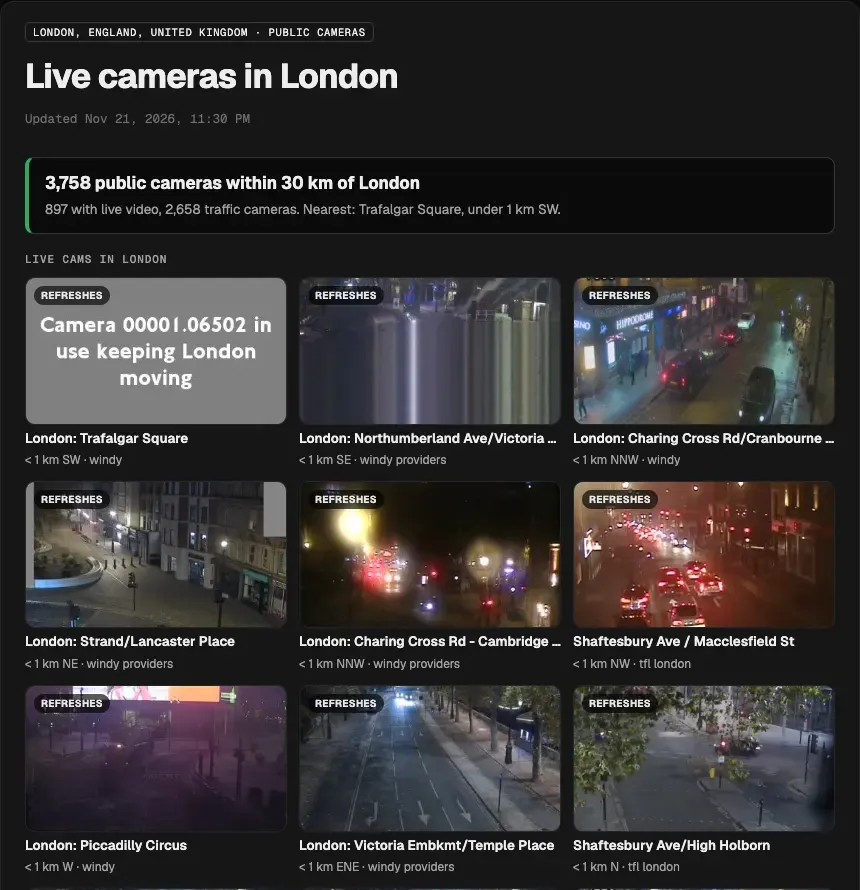
To find live webcams near you, open the live cameras page on GodsView and pick your city, or go straight to a city page such as live cams in London. Each page lists the public cameras within 30 km of the city centre, shows a grid of their latest pictures, and says which ones stream live video and which are still images. Your state or national road agency's 511 site is the other place to look for traffic cameras.
This guide explains where public webcams come from, why most of them are photos rather than video, how to find a camera for a particular street, beach or ski slope, and what is and is not fair game to watch.
Where live webcams near you come from
Almost every public camera you can watch online is published by one of four kinds of operator:
- Road and transport agencies. State DOTs and 511 services in the US, provincial ministries in Canada, Transport for London and National Highways in the UK, and road authorities across Europe and Asia. These are the bulk of the cameras in any city: junctions, motorways, bridges and tunnels.
- Webcam networks. Services such as Windy Webcams collect cameras from many owners and publish their images, time-lapses and daylight information through one catalogue.
- Tourism, resort and venue owners. Beaches, ski areas, harbours, town squares, zoos and landmarks run cameras to show visitors the conditions.
- Weather and science networks. Weather stations, volcano observatories, wildfire lookouts and coastal agencies publish cameras to watch the sky, the sea or a hazard.
Because every operator runs its own website, there is no single official list. That is why aggregators exist: they gather the public feeds, place them on a map and let you search by place.
Live video or a still that refreshes?
When you search for "live cams near me", you might expect a video stream. Most public cameras are something else: a still photo that the operator replaces every so often. The difference matters when you want to see moving traffic or a sunset in real time.
| Camera type | What you see | How fresh it is | Typical owners |
|---|---|---|---|
| Live video stream | Moving video, sometimes with sound | A few seconds behind | Resorts, landmarks, some road agencies, webcam networks |
| Refreshing still image | A new photo every few seconds to minutes | Usually 1 to 20 minutes old | Most traffic and 511 cameras |
| Short clip | A loop of a few seconds | Updated every few minutes | Some city traffic networks |
| Time-lapse | Hours or a day compressed into a short video | The last day | Webcam networks, weather stations |
Road agencies prefer stills because a photo still loads when thousands of drivers check the same camera during a storm. Caltrans says it chose still images so QuickMap keeps working at high demand, and that it aims to update each image every 20 minutes or less, with the gap varying by location.
On a GodsView city page each camera tile carries a small label. Tiles that play video say so; tiles marked Refreshes are stills that reload in your browser. Check the time on the image itself when it shows one, because an image can stop updating without going blank.
How to find live cams near you on GodsView
- Open the live cameras hub. It lists cameras by country and the busiest cities.
- Pick your country, then your state, province or region, or jump straight to a city page. City pages exist for thousands of places, including Seattle, Toronto, Denver, Nottingham and Chennai.
- Read the summary at the top: how many cameras are within 30 km, how many stream live video, how many are traffic cameras, and which camera is closest to the centre.
- Scroll the picture grid. The nearest cameras come first, each with its distance, direction from the centre and operator.
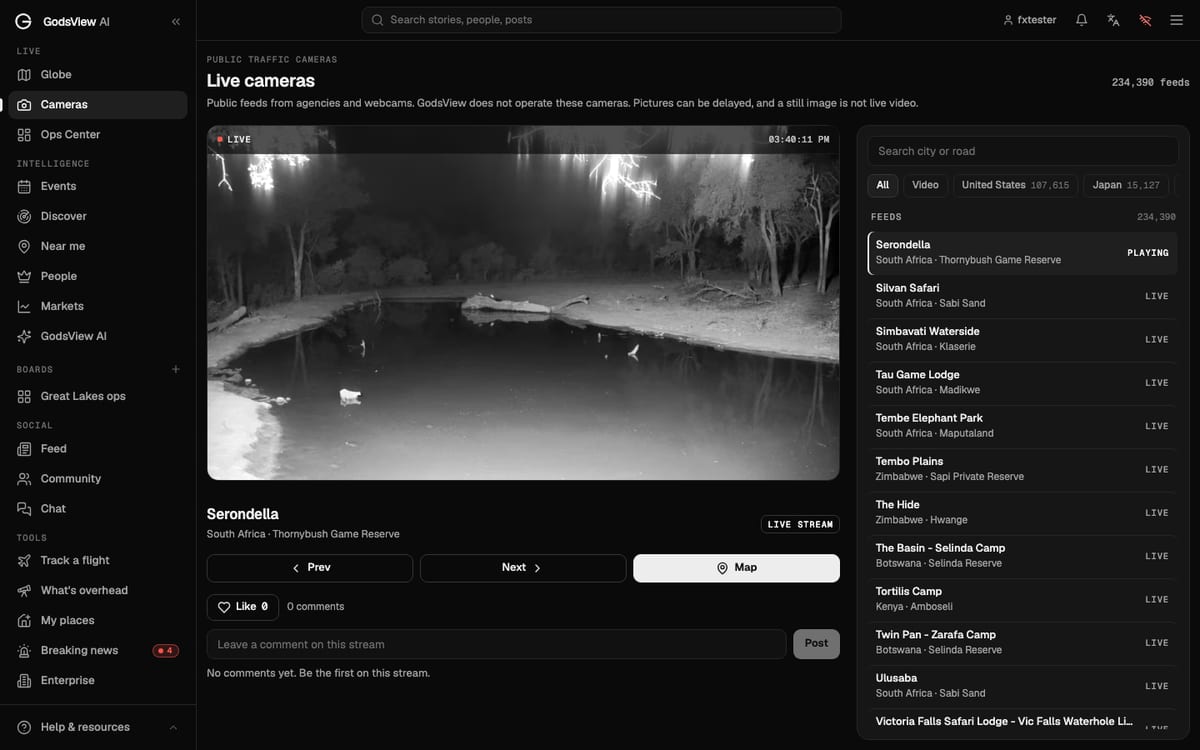
- Click a camera to open it in the GodsView player.
The numbers vary a lot by city because they depend on what local operators publish. On November 21, 2026, GodsView counted 3,758 public cameras within 30 km of central London (897 with live video), 1,428 around Seattle, 1,329 around Toronto and 479 around Denver, where 376 of them streamed video. Some large cities have very few: Bengaluru had 3, because few operators there publish open feeds.
If you would rather see cameras alongside everything else happening in your area, the cameras layer puts them on the God's eye view of the world, live, next to flights, ships, weather and incidents. That layer is part of GodsView Plus.
Live street cameras and traffic cams
Street and traffic cameras are the most common kind, and the most useful before a drive. They show congestion, crashes, snow, standing water and road works. In the US, the FCC designated 511 as the national traffic information number on July 21, 2000, and most states now run a 511 website or app with a camera map. Our 511 traffic cameras by state guide lists the official sites, and how to find live traffic cameras near me explains how to read them, why they go blank and how to combine them with an incident list.
GodsView's live traffic cameras page gathers road cameras from many agencies on one map. In London, for example, most of the cameras near the centre come from Transport for London's JamCams network and from webcam networks, and show junctions such as Trafalgar Square, Piccadilly Circus and Parliament Square.
A few things to expect from road cameras:
- Most point at the road, not the sidewalk, and are usually set wide enough to show traffic rather than individual people.
- Operators turn or blank cameras during incidents or maintenance, so a grey "camera in use" tile is normal.
- At night, images become grainy and dominated by headlights. A sunrise check is often more useful than a midnight one.
Beach, ski, city and weather webcams
Outside traffic, the webcams people most often look for are scenic or practical:
- Beach and surf cams: wave size, crowds and the weather on the coast.
- Ski and mountain cams: fresh snow, visibility and queues at the lift.
- City and landmark cams: squares, skylines and harbours, often with live video.
- Weather cams: fog, storms, smoke and sunsets, usually as stills or time-lapses.
On a GodsView city page these appear under Weather & scenic, River & coast, Airport and City & other. The country pages, such as live cams in the United Kingdom, rank cities by how many cameras they have. If you are planning a trip, it is worth checking the resort's own site too, because it may have cameras that are not in any public catalogue.
Live CCTV cameras in a city: what is public and what is not
Searches such as "live cctv camera Hyderabad" or "live cctv camera Chennai" are common, and the answer is the same everywhere: you can only watch cameras that their owners have chosen to publish. Police, private security, shop and home CCTV systems are not public, and nobody can legitimately give you a live view of them.
What you can watch is the public layer: road agency cameras, city and tourism webcams, and networks that operators have opted into. GodsView only lists feeds that are already openly published, links each one to its operator, and does not add any camera of its own. It is not a way to watch private property or to follow people.
If you run a camera yourself, the rules point the other way. In the UK, the Information Commissioner's Office says data protection law applies when home CCTV captures someone else's property, a public area or a communal space, and recommends pointing cameras away from them where possible. Other countries have similar rules.
Watching several cameras at once
If you want to keep an eye on a few places at the same time, for example the roads on your commute or the coast during a storm, a grid of cameras beats switching tabs. The GodsView video wall at /ops/wall plays live news channels and cameras in 1, 2x2, 3x3 or 4x4 grids. Its camera presets include live webcams from around the world, cameras near the incidents ranked in the Ops Center, and cameras inside an area you saved on the map. The news presets are free; camera tiles need Plus or Pro. Our guide to watching several live channels on one screen walks through the wall step by step.
What is free and what needs Plus
As of November 21, 2026:
- Free, no sign-in: every live cameras hub, country, region and city page, including the refreshing picture grid.
- Free account: the live map and the cameras page, where a free account can open a small set of five live feeds.
- GodsView Plus ($10.99 a month or $99.99 a year): every camera in the player, the cameras layer on the map, camera tiles on the video wall, alerts for places you save, and no ads or 30-minute viewing limit. See pricing.
The GodsView AI app for iPhone and Android has the same cameras, with the same account.
Tips for getting a useful picture
- Check the timestamp. Many stills carry a time in the corner. If it is hours old, the camera has stalled.
- Try the next camera along. Cameras a few hundred metres apart often show the same road from different angles.
- Use daylight. Fog, snow and water show far better after sunrise.
- Match the camera to the question. For traffic use road cameras; for the weather use a scenic or weather cam pointed at the sky.
- Remember the delay. A still refreshed every 10 minutes cannot show what happened 30 seconds ago.
The short version
Live webcams near you are public cameras published by road agencies, councils, resorts and webcam networks. Search by city on the GodsView live cameras page to see every public camera within 30 km, with live video marked apart from refreshing stills, then use your local 511 or road agency site for official traffic detail. Private CCTV is not public and never will be.
Frequently asked questions
How do I find live webcams near me?
Search by city. On GodsView, open the live cameras page and pick your country and city: each city page lists the public cameras within 30 km of the centre, nearest first, with a picture grid. For traffic cameras, your state or national road agency's 511 site is the official source.
Are live street cameras really live?
Some are. On November 21, 2026, about 30,000 of the 234,384 public cameras indexed by GodsView streamed live video. Most road and traffic cameras publish still images instead, refreshed every 1 to 20 minutes, so check the time on the picture.
Can I watch live CCTV cameras in my city?
Only cameras that their owners publish, such as road agency, city and tourism webcams. Police, private security, shop and home CCTV systems are not public. GodsView lists openly published feeds only and links each to its operator.
Are traffic cameras recorded?
It depends on the agency. Many publish only the latest picture and do not keep an archive online. Recording and retention rules are set by each operator, so check its own privacy notice.
Why is a webcam showing a grey or frozen image?
Operators turn or blank cameras during incidents and maintenance, connections drop, and some cameras only update every few minutes. Try a nearby camera or check again later.
Is it free to watch webcams on GodsView?
City and country camera pages are free to read without signing in. A free account can open a set of five live feeds on the cameras page. GodsView Plus, $10.99 a month or $99.99 a year, opens every camera, the cameras layer on the map and the video wall camera presets.
Sources
- FHWA — 511: America's Traveler Information Telephone Number
- Caltrans QuickMap — frequently asked questions (camera images)
- Windy Webcams API
- ICO — Home CCTV systems
- GodsView — live cameras by city and country
Facts checked on against each provider's own site.