How-to
How to Find Live Traffic Cameras Near Me (and Read Them)
Most public traffic cameras are run by road agencies and shown on their 511 or traffic sites. This guide explains where to find them, how fresh the images are, why some go dark and how to use them for a commute or a storm.
Key takeaways
- The official source for road cameras is usually your state, provincial or national road agency, often through a 511 website or app.
- Most public traffic cameras show still images that refresh every minute to every 20 minutes or so, not continuous live video.
- Cameras go blank for technical faults, power or network outages, maintenance, or on purpose after a crash to protect the people involved.
- Many agencies say their public camera feeds are set up to watch traffic, not to identify people or vehicles, but recording and retention rules differ by agency.
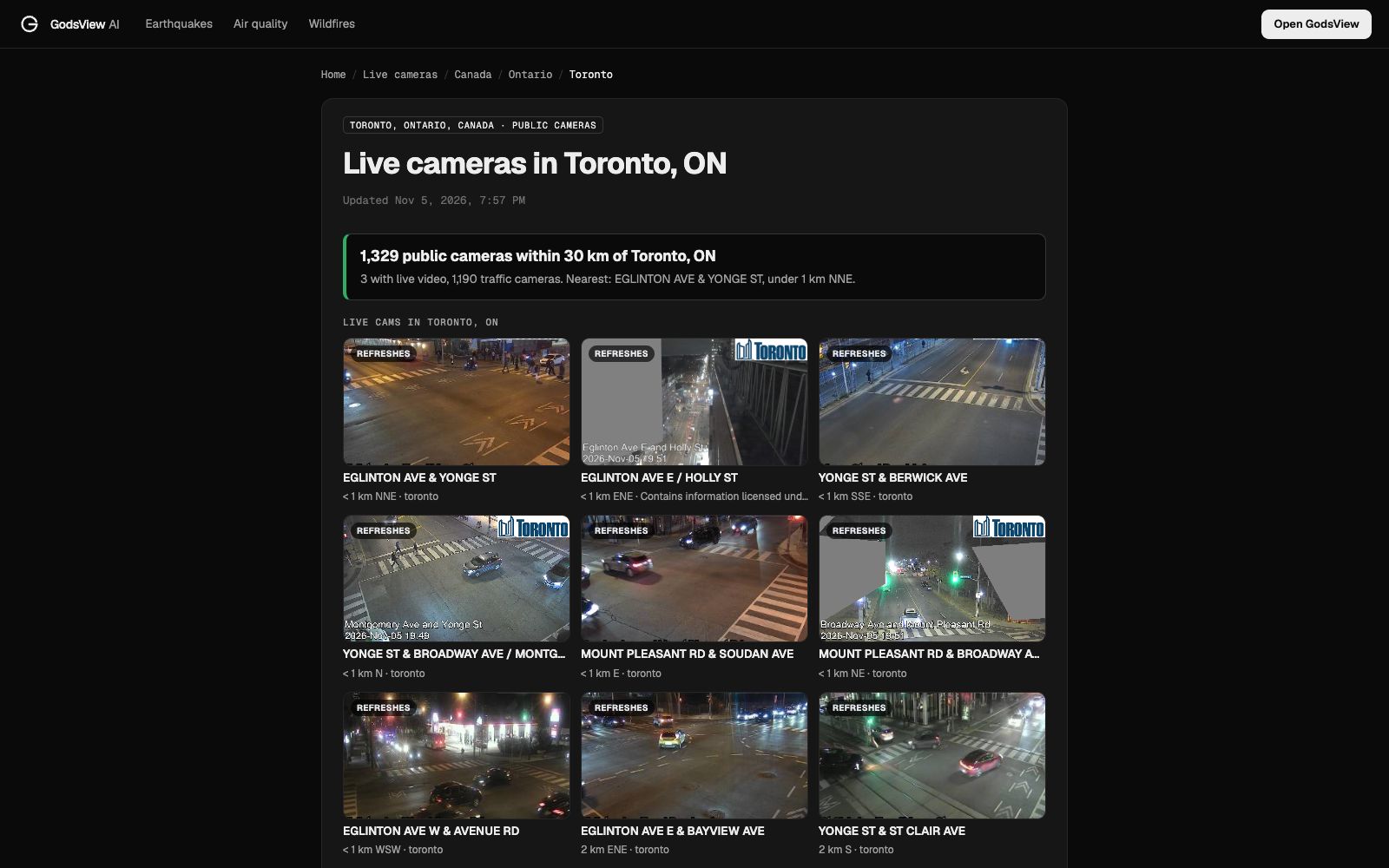
- Scenic and city webcams fill gaps away from highways. On November 5, 2026, our Toronto page listed 1,329 cameras within 30 km but only 3 with live video.
To find live traffic cameras near you, open your road agency's traveler site (in the US and Canada that's usually a 511 site or app), turn on the cameras layer and click the camera closest to your road. Check the time stamp before you trust the picture: most public traffic cameras show still snapshots that refresh every few minutes, not live video. To see every nearby camera at once, use a page that gathers public agency cameras and webcams and sorts them by distance.
See live traffic cameras near you
Who runs the traffic cameras you see online?
Almost every public road camera online belongs to a government road agency. The agency installs cameras so its operators can spot crashes, congestion and weather problems, then shares the images as traveler information. News sites, map apps and GodsView show those same images; they don't run the cameras.
United States: state DOTs and 511
In 2000 the Federal Communications Commission designated 511 as the national traffic information number, and many states now use the 511 name for their phone line, website and app (FHWA). Each state DOT runs its own system, so coverage and image quality vary. In California, Caltrans QuickMap shows speeds, closures, CHP incidents, chain controls and a Cameras layer of still images (Caltrans QuickMap FAQ).
Canada: provincial 511
Ontario 511, from the Ministry of Transportation Ontario, offers a map, a free app and images from over 900 cameras (Ontario 511). Cities run their own networks too; the City of London, Ontario, operates traffic monitoring cameras for its own streets (City of London).
United Kingdom: National Highways and Traffic Scotland
National Highways says it owns almost 4,000 traffic cameras on England's motorways and major A-roads. It shares still and live images through media partners and web hosts (National Highways). Scotland's trunk roads are covered by Traffic Scotland, which publishes its own images (Traffic Scotland).
Australia: state road agencies
Transport for NSW publishes live traffic camera images it says update approximately every 60 seconds (Data.NSW). In Queensland, QLDTraffic shows web cameras on state-controlled roads (QLDTraffic FAQ).
City, tourism and scenic webcams
Away from highways, you'll mostly find webcams on hotels, ski resorts, beaches, harbors and town squares. Directories such as EarthCam and Windy webcams collect them. They aren't built for traffic, but a webcam pointed at a town center or a coast tells you a lot about weather and crowds.
Which official camera site should you use in your country?
| Country or region | Main official source | What you get |
|---|---|---|
| United States | Your state DOT's 511 site or app (for example Caltrans QuickMap) | Highway cameras, incidents, closures; features vary by state |
| Canada (Ontario) | Ontario 511 (Ministry of Transportation Ontario) | Images from over 900 cameras, map and app |
| England | National Highways and its media partners | Motorway and major A-road camera images |
| Scotland | Traffic Scotland | Trunk road camera images |
| Australia (NSW) | Transport for NSW Live Traffic | Camera images updated about every 60 seconds |
| Australia (Queensland) | QLDTraffic (Transport and Main Roads) | Web cameras on state-controlled roads |
| Towns, resorts, coasts | Webcam operators and directories | Scenic and street views, mostly for weather and conditions |
Are traffic cameras live video or still images?
Mostly stills, replaced on a schedule that depends on the agency and the camera.
- Caltrans says the gap between QuickMap image updates varies by location and communication technology, with a goal of 20 minutes or less. It chose stills over full-motion video so the site keeps working under heavy demand (Caltrans QuickMap FAQ).
- Traffic Scotland says images around Edinburgh and Glasgow update about every five minutes, and about every twenty minutes elsewhere.
- Transport for NSW says its images update approximately every 60 seconds.
- Ontario 511 notes that its cameras come from several sources, so they don't all update at the same interval (Ontario 511 cameras).
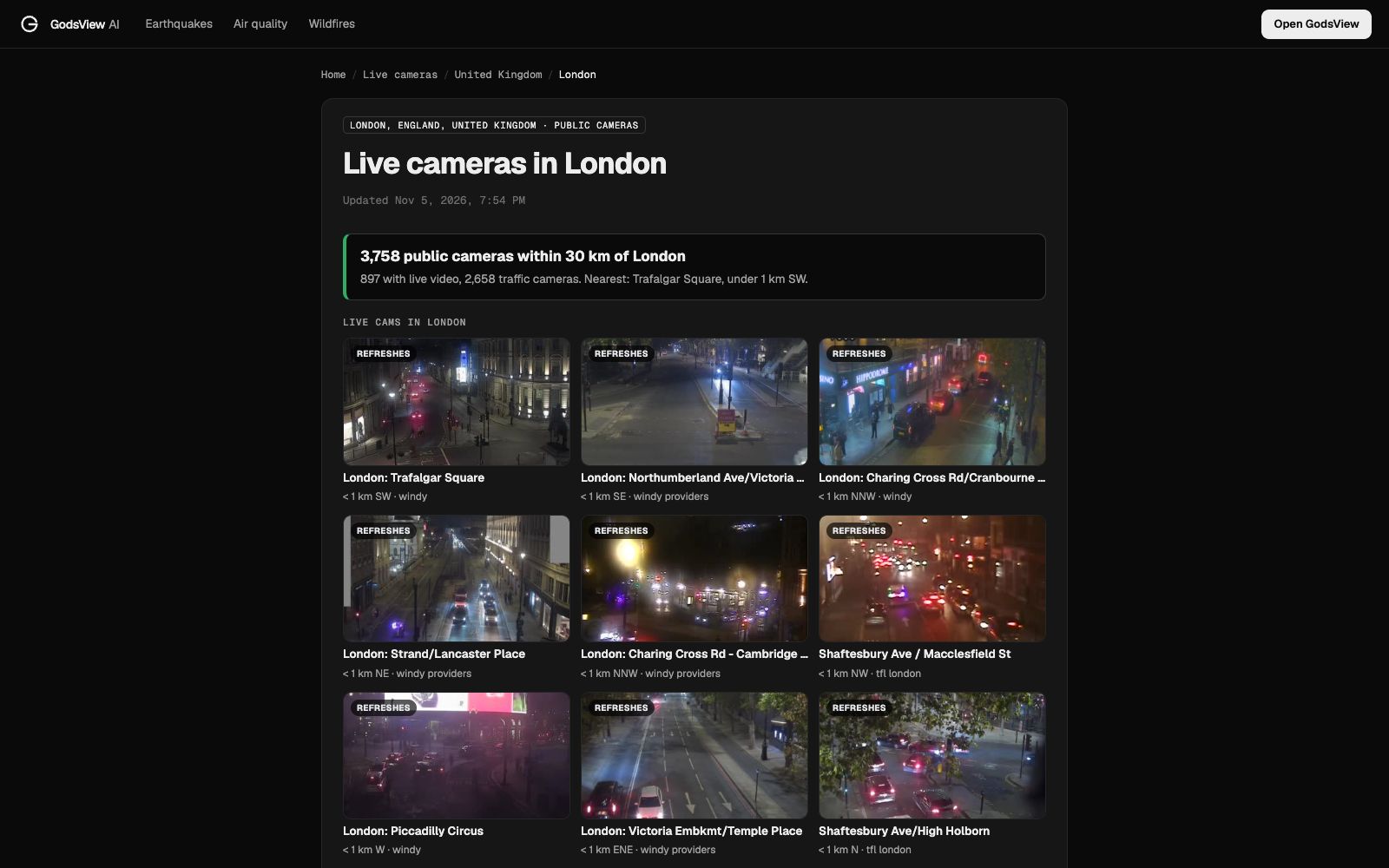
Our own city pages show how much this varies. When we checked them on the evening of November 5, 2026, our Toronto cameras page listed 1,329 public cameras within 30 km, of which only 3 streamed live video. All 1,190 traffic cameras were stills, with Highway 401 the most covered road (148 cameras). Our London page listed 3,758 cameras within 30 km, and 897 of them (24%) had live video, most from Transport for London's network.
The practical rule: always read the time stamp, and treat anything older than about 20 minutes as history rather than current conditions.
Why is a traffic camera offline or blank?
A grey box, a "camera unavailable" message or a frozen image usually has one of these causes:
- Technical faults. Traffic Scotland says cameras can be out because of short or long term faults with the cameras or related infrastructure.
- Power or network outages. Caltrans District 2, which covers remote mountain passes, lists communication problems and extended power outages as causes of missing images (Caltrans District 2). During a big storm, check the power outage map too.
- Maintenance and roadworks. QLDTraffic says cameras may be offline for repairs, routine maintenance or roadworks (QLDTraffic FAQ).
- Withheld after a crash. Traffic Scotland shows "In Operational Use" when operators take over a camera for an incident, to protect the privacy of those involved. QLDTraffic also says a camera may be turned off after a crash.
Do traffic cameras record or identify drivers?
It depends on the agency, so check the one that runs the camera. Here's what several say on their own pages:
- Traffic Scotland says it doesn't routinely record footage; each public image is a still captured from the stream and replaced after around five minutes (Traffic Scotland).
- National Highways says its cameras view overall traffic, not individual vehicles, and footage is kept for 7 days, with requests due within 5 days of an incident (National Highways).
- QLDTraffic says image quality is deliberately set so it can't identify an individual person or vehicle.
- City of London, Ontario says its cameras are live feed only, don't record except for limited traffic studies, and always focus on the roadway (City of London).
Traffic monitoring cameras are separate from speed and red-light enforcement cameras, so a camera on a 511 map doesn't issue tickets. Scenic webcams are private cameras with their own terms. This is general information, not legal advice.
How do you check your commute with traffic cameras?
Use cameras to confirm what the traffic map is telling you.
- Pick three cameras on your route: one near home, one at the usual bottleneck and one near your destination.
- Check the time stamp on each image before reading the scene.
- Look at both directions. Many cameras show both carriageways; make sure you're reading your side.
- Compare with the incident list on your 511 or agency site. A red line on the map plus a stopped camera view is a strong signal.
- Look again in 10 to 20 minutes. One still is a snapshot, not a trend.
How can cameras help during snow, floods or smoke?
Cameras show what a forecast can't: what the road surface looks like right now.
- Check official weather warnings for your area first.
- Open cameras at passes, bridges and exposed stretches, where conditions change first.
- Look for snow on the road, standing water, low visibility and plows.
- Follow closure and chain control notices from the agency; a camera view doesn't override them.
For alerts that reach you before you go looking, see how to get disaster alerts near home.
How do you find cameras near you on GodsView?
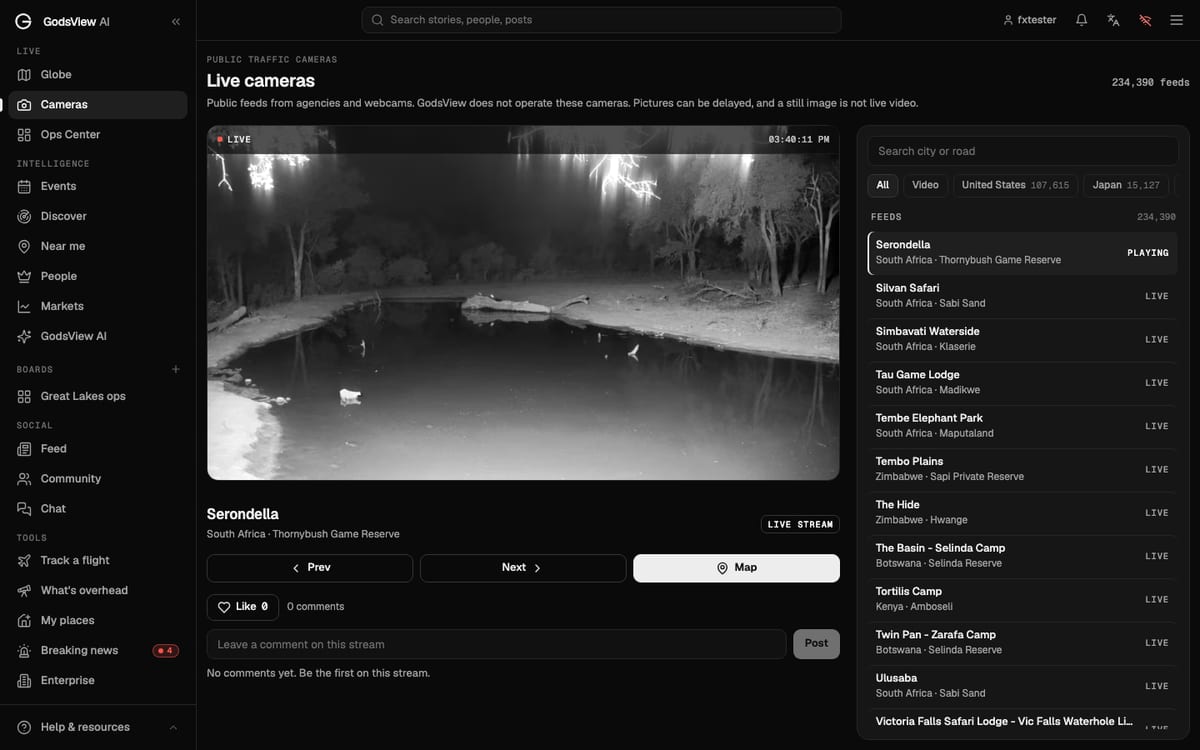
GodsView doesn't run cameras. It lists images and streams that agencies and webcam hosts publish openly, sorted by location, and it doesn't record or store footage.
- Open a city page such as live cameras in London, Toronto, New York or Los Angeles. Each shows the closest public cameras, traffic and scenic, nearest first. City pages work without an account.
- For a wider view, start from the live traffic cameras page or the country pages, or open the cameras desk.
- Open a camera and check its time before reading the scene.
- With Plus ($10.99/month or $99.99/year), turn on the cameras layer on the 3D globe to see cameras alongside other layers. The free map asks most visitors for a free account (no payment), shows banner ads and pauses live viewing after 30 minutes; see pricing.
- On iPhone, the free GodsView AI app is on the App Store. Android is in testing.
In London, the nearest camera to the city center on our page was Trafalgar Square, under 1 km away, and it had a live video feed. The M25 alone had 284 cameras within 30 km.
Want several feeds at once for TV too? See how to watch live news channels on one screen.
Is there a camera on my road?
Start with the road agency's map, zoom to the road and turn on cameras. If nothing shows:
- Smaller roads rarely have cameras. Agencies put them on highways, interchanges, bridges, tunnels and passes, not neighborhood streets.
- Different roads, different owners. A city street may be covered by the city's cameras, not the state or national agency's.
- Use the nearest camera or a webcam. One exit away, or a tourism webcam on the high street, often tells you enough about weather and flow.
Frequently asked questions
How do I find traffic cameras near me?
Open your road agency's traveler website or app, which is usually called 511 in the US and Canada, and turn on the cameras layer. Elsewhere, use your national or state road agency's traffic site. You can also open a nearby cameras page that sorts public cameras by distance.
Are traffic cameras live video?
Usually not. Most public traffic cameras show still images that refresh on a schedule. Caltrans aims for 20 minutes or less, while Transport for NSW updates about every 60 seconds. Check the time stamp on each image.
What is a 511 traffic camera?
It is a road agency camera shown on a 511 traveler information service. The FCC designated 511 as the US traffic information number in 2000, and many states and Canadian provinces use the 511 name for their websites and apps, which include maps, incidents and camera images.
Why is the traffic camera I want not working?
Common reasons are camera or network faults, power outages, maintenance or roadworks, and operators taking over a camera during an incident. Some agencies hide images after a crash to protect the people involved, so try the next camera along the road.
Do traffic cameras record or give out speeding tickets?
Traffic monitoring cameras on 511 and agency maps are for watching traffic, not for enforcement; speed and red-light cameras are separate systems. Recording rules vary: Traffic Scotland says it does not routinely record, while National Highways says footage is kept for 7 days. Check the agency that runs the camera.
Can I see live webcams near me, not just traffic cameras?
Yes. Tourism boards, resorts, businesses and hobbyists run webcams at beaches, mountains, harbors and town centers, and directories collect them. GodsView city pages such as live cameras in Toronto mix traffic cameras and scenic webcams, sorted by distance.
Sources
- FHWA — What is 511?
- Caltrans — QuickMap FAQ
- Caltrans District 2 — Traffic camera FAQ
- Ontario 511
- Ontario 511 — Cameras
- National Highways — Traffic camera/CCTV services
- Traffic Scotland — Traffic cameras FAQ
- Data.NSW — RMS Live Traffic Cameras
- QLDTraffic — Frequently asked questions
- City of London (Ontario) — Traffic monitoring cameras
Facts checked on against each provider's own site.