Check any address before you move
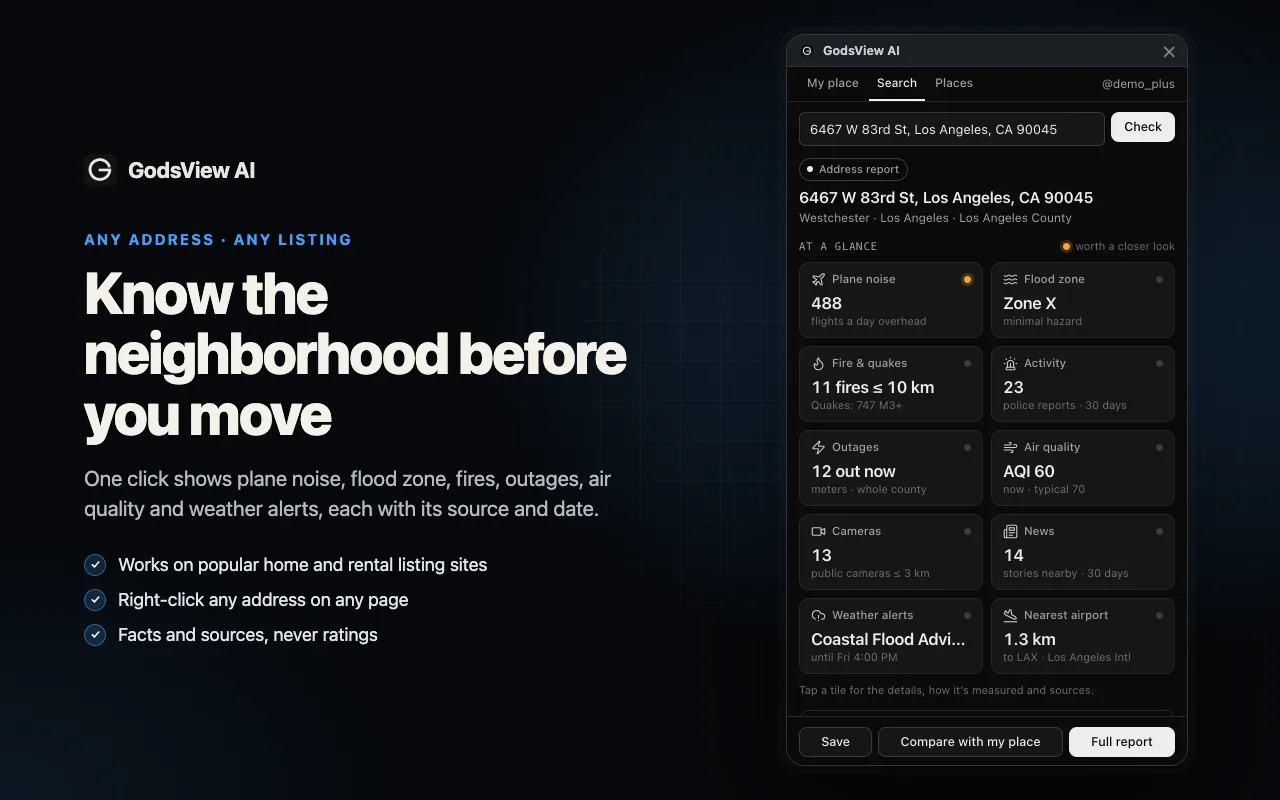
The GodsView extension for Chrome, Edge and Brave shows what living at an address is really like: plane noise, flood zone, fire and quake history, official weather alerts and more. Facts with sources and dates, not ratings. Free on the Chrome Web Store.
Open GodsView Chrome extension · Live flight tracker · Live globe
Screenshots
How it works
Install the extension and press "Sign in with GodsView". You sign in, or create a free account, on godsviewai.com and connect the extension; it never sees your password.
Share your location once, or type your address, and your own place becomes the home screen.
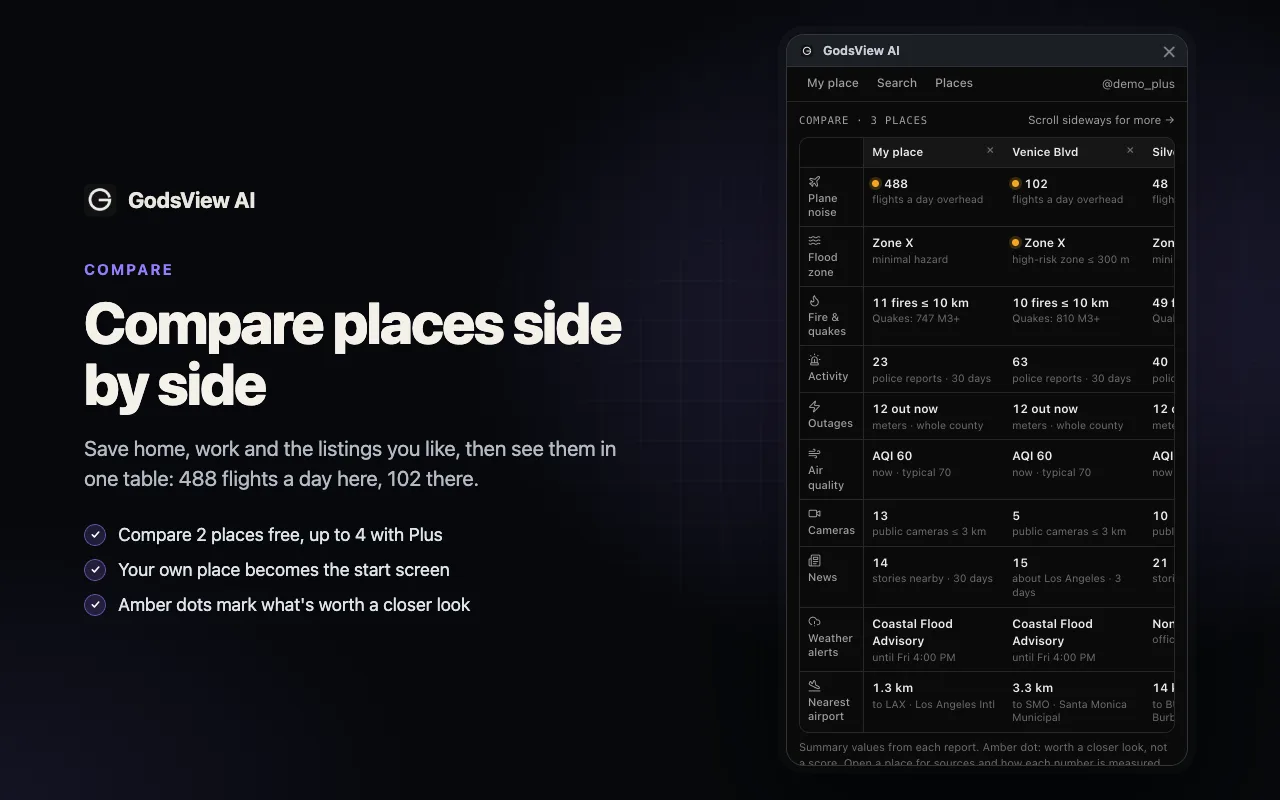
On a home or rental listing, a small badge shows the headline numbers. Click it for the full report in the side panel, then "Compare with my place".
On any other page, select an address, right-click and choose "Check this address with GodsView".
Plane noise
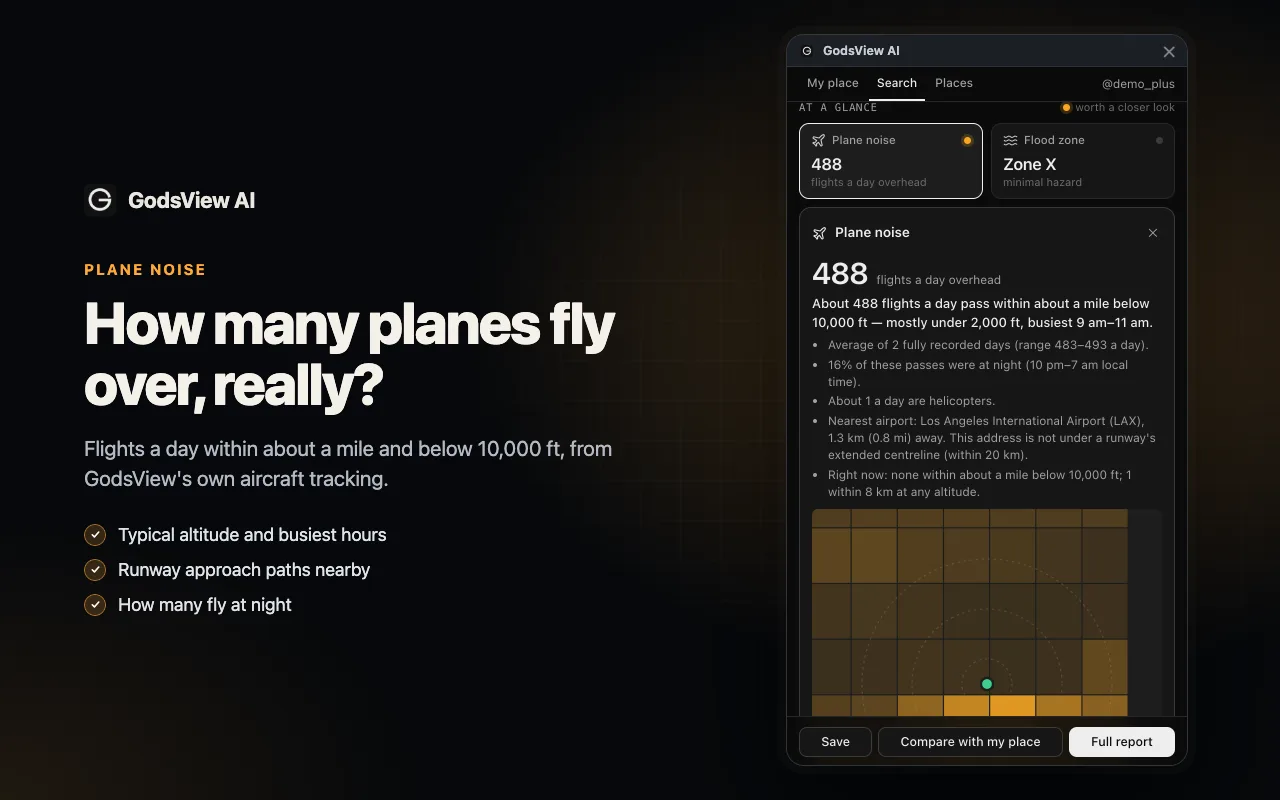
• Flights a day passing within about a mile below 10,000 ft
• Typical altitude and the busiest hours
• Whether the address sits under a runway approach
• From GodsView's own aircraft-tracking history
Flood, fire and quakes
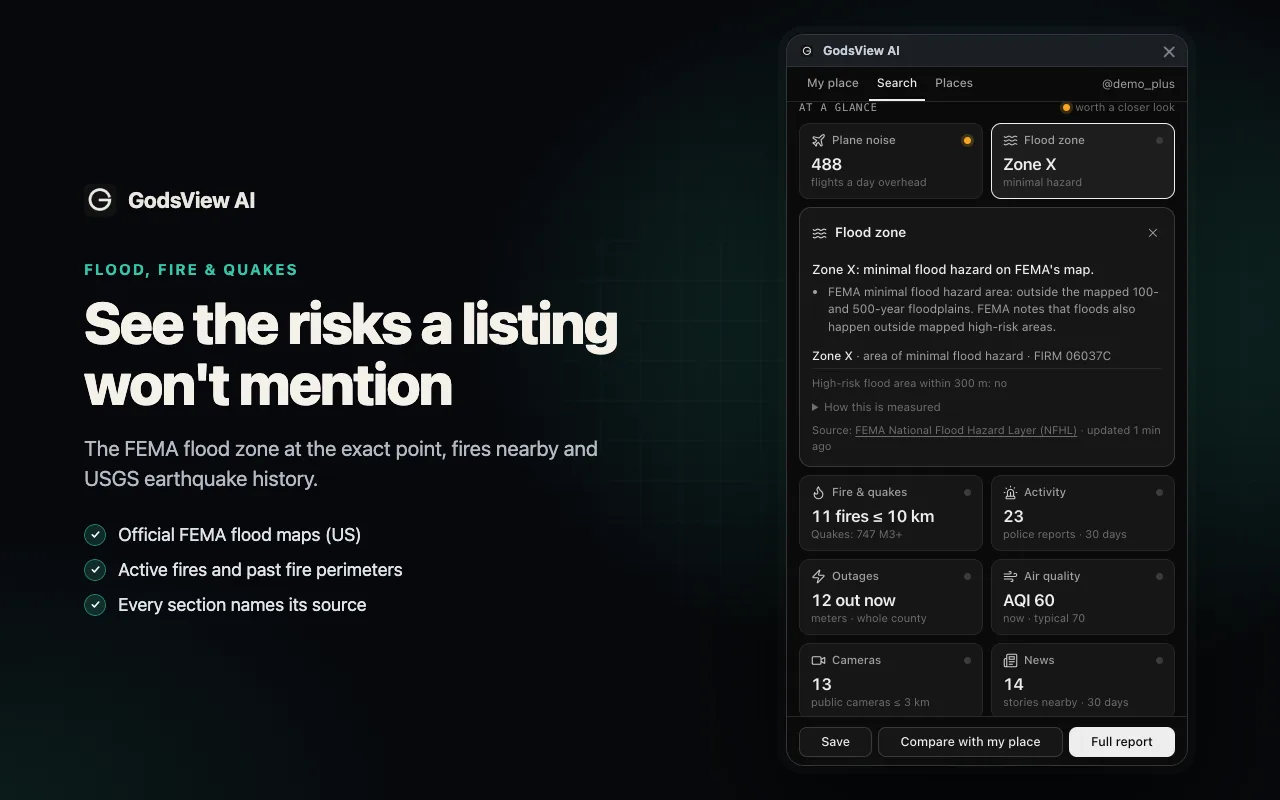
• FEMA flood zone at the exact point (US)
• Past wildfire perimeters nearby and active fires
• USGS earthquake history
Daily life
• Police reports and 911 dispatches, in cities that publish them
• Power outages now and the county's history (US)
• Air quality today and on a typical day
• Nearest airport with scheduled flights
Live and local
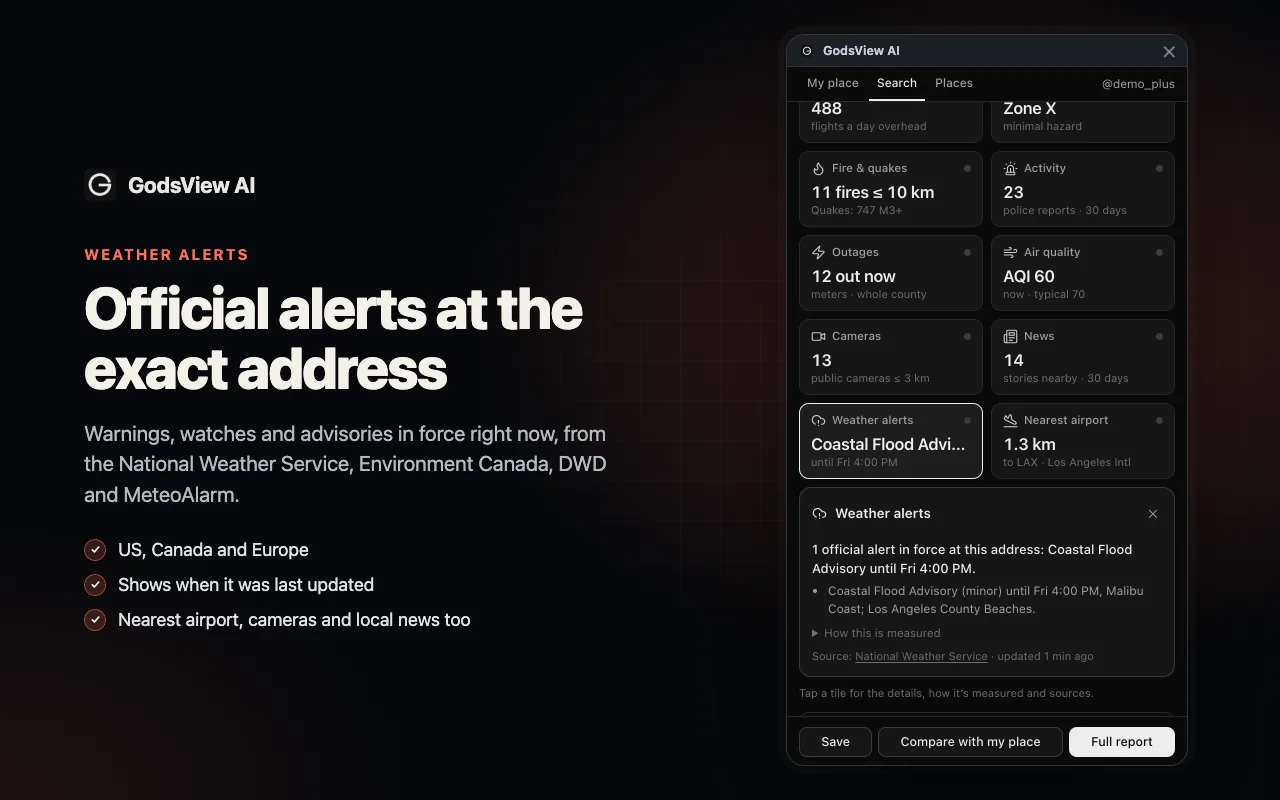
• Official weather warnings in force at the address
• Live street cameras nearby
• Local news that mentions the street or neighbourhood
• Compare home, work, family and listings side by side
Honest by design
Every section says where its data comes from, how fresh it is and when data is not available for an area. Missing data is never shown as "none", and GodsView never scores, grades or ranks neighbourhoods.
Extension details
Price: Free; Plus adds full detail
Browsers: Chrome, Edge, Brave and other Chromium browsers on desktop
Coverage: Best in the US; flights, weather, quakes and news worldwide
Account: Your GodsView account
Reads: Only the listing's address on supported sites
Publisher: GodsView AI
Questions
Is the extension free?
Yes. Free accounts see a summary of every section and can compare two places. GodsView Plus adds the full detail (maps, hour-by-hour patterns, history and lists), compares up to four places and saves more places.
Does it work in Edge, Brave or Opera?
Yes. It installs from the Chrome Web Store in Chrome and in other Chromium browsers such as Microsoft Edge, Brave and Opera on desktop. It does not run on phones or in Safari or Firefox.
What does it read from the pages I visit?
Only the address of a home or rental listing on supported listing sites, to show the badge, and you can turn badges off. It does not read other page content, forms or your browsing history.
Does it rate or score neighbourhoods?
No. Every section says where its data comes from, how fresh it is and when data is missing for an area. Missing data is never shown as "none", and GodsView never grades or ranks neighbourhoods.
I already pay for GodsView. Do I pay again?
No. Sign in with the same account and your plan is included.